1
Printout has smears on the bottom edge
❏ If the paper is curled toward the printable side, flatten it or
curl it slightly toward the opposite side.
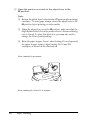
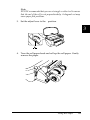
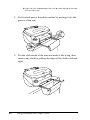
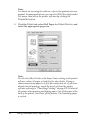
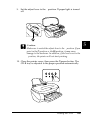
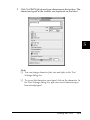
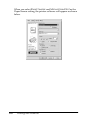
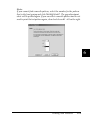
❏ Set the adjust lever to the ^ position and clear the High
Speed check box in the Advanced dialog box of the printer
driver. The Advanced dialog box is accessible through the
Main menu (Windows) or the Print dialog box (Macintosh)
when Custom is selected as the Mode setting. To turn this
option off, you may also need to change the Print Quality
setting.
15
15
15
15
15
Printing is too slow
Try one or more of these solutions:
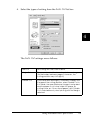
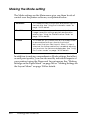
❏ Make sure that the Media Type setting in your printer
software is correct. For instructions, see “Making the Media
Type setting” on page 133 for Windows or “Making the Media
Type setting” on page 191 for Macintosh.
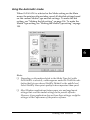
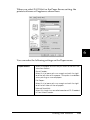
❏ Select Automatic as the Mode setting on your printer
software’s Main menu (Windows) or in the Print dialog box
(Macintosh) and then move the slider to Speed. For
instructions, see “Using the Automatic mode” on page 138 for
Windows or “Using the Automatic mode” on page 196 for
Macintosh.
❏ Close any applications that you are not using at the moment.
❏ If you upgraded from Windows 95 to Windows 98, uninstall
the printer software using Add/Remove programs in the
Control Panel, then install the software again.
15
15
15
15
15
15
15
Troubleshooting
312