1
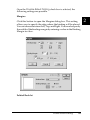
Roll Paper Option
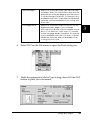
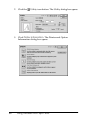
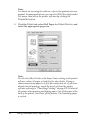
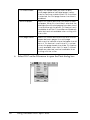
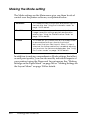
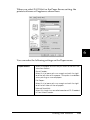
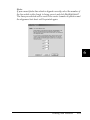
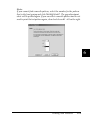
The Roll Paper Option settings are only available
when Roll Paper is selected as the Paper Source
setting. These features are not available when
Automatic Sheet Feeder or Manual Feed is
selected.
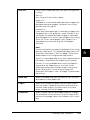
The settings are as described below.
Banner Mode:
Select this mode when you want to print multi-page
data as continuous data on the roll paper, rather
than as individual pages. When this check box is
selected, the Save roll paper check box is enabled.
Cut Sheet Mode:
Select this mode when you want to print multi-page
data as individual pages, rather than as continuous
data. When this check box is selected, the Print
page frame check box is enabled.
Save roll paper:
Select this check box when you want to save roll
paper. When this check box is selected, the blank
portion of the last page of your document is not fed
through the printer. This feature is only available
when Not Cut and Banner Mode are selected, and
not available when cutting with the cutter.
Print page frame:
Select this check box to print a line on the roll paper
between pages in a multi-page document to
indicate where the paper should be cut. This feature
is useful when it is unclear where the page breaks
should be. This feature is only available when Not
Cut and Cut Sheet Mode are selected, and not
available when cutting with the cutter.
Defining a custom paper size
You can define a custom paper size. To do so, you can either create
a new paper size, or base your custom paper size on a pre-existing
paper size. Refer to the appropriate section below.
211
Using the Printer Software for Macintosh