1
Contents
Experience an amazing level of
multimedia excitement
Please read before using the unit
● Safety Precautions ·········································· 4
● Notes ······························································· 7
● Accessories/Optional Accessory ····················· 8
● Basic Connection ·········································· 11
● Identifying Controls········································ 13
● First Time Setup ············································ 14
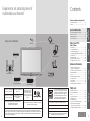
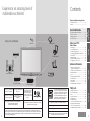
Enjoy rich multimedia
USB device
SD memory card
Quick Start
Guide
Quick Start Guide
Enjoy your TV!
Basic Features
Viewing
Personal computer
VCR
● Watching TV ·················································· 18
● Using VIERA TOOLS ···································· 21
● Viewing 3D images on TV ····························· 22
● Viewing with VIERA IMAGE VIEWER ··········· 26
● VIERA CASTTM ·············································· 30
● Network Camera ··········································· 32
● Watching Videos and DVDs ·························· 34
● Displaying PC Screen on TV ························· 36
Advanced Features
Camcorder
Set Top Box
DVD recorder/
Blu-ray Disc recorder
SDXC Logo is a trademark of
SD-3C, LLC.
VIERA CAST™ is a trademark
of Panasonic Corporation.
HDAVI Control™ is a
trademark of Panasonic
Corporation.
Manufactured under license from Dolby Laboratories.
Dolby and the double-D symbol are
trademarks of Dolby Laboratories.
2
HDMI, the HDMI logo and HighDefinition Multimedia Interface
are trademarks or registered
trademarks of HDMI Licensing
LLC in the United States and other
countries.
“AVCHD” and the “AVCHD” logo are trademarks of Panasonic
Corporation and Sony Corporation.
This product is licensed under the AVC patent portfolio license for the personal and non-commercial use of a consumer to
(i) encode video in compliance with the AVC Standard (“AVC Video”) and/or (ii) decode AVC Video that was encoded by a
consumer engaged in a personal and non-commercial activity and/or was obtained from a video provider licensed to provide
AVC Video. No license is granted or shall be implied for any other use. Additional information may be obtained from MPEG
LA, LLC. See http://www.mpegla.com.
This product qualifies for ENERGY STAR in
the “Home Use” setting and this is the setting
in which energy savings will be achieved. Any
modifications to the “Home Use” setting or
other factory default settings could result in
greater energy consumption beyond levels
that meet ENERGY STAR qualifications.
“RealD 3D” is a trademark of RealD.
This product is covered by U.S. Patent No. 5,193,000.
The Skype™ is a trademark of Skype limited.
Manufactured under license from BBE Sound, Inc.
Licensed by BBE Sound, Inc. under one or more of the
following US patents: 5510752, 5736897. BBE and BBE symbol
are registered trademarks of BBE Sound, Inc.
FAQs, etc.
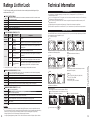
● Ratings List for Lock ······································ 58
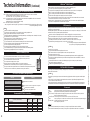
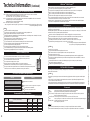
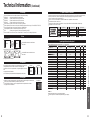
● Technical Information ···································· 59
● FAQ ······························································· 64
● Care and Cleaning ········································ 66
● Specifications ················································ 67
● Limited Warranty
(for U.S.A. and Puerto Rico only) ·················· 68
● Customer Services Directory
(for U.S.A. and Puerto Rico)·························· 69
● Limited Warranty (for Canada) ······················ 70
FAQs, etc.
VIERA Link™ is a trademark
of Panasonic Corporation.
DVD player/
Blu-ray Disc player
Advanced
Amplifier
Home theater system
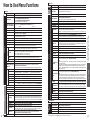
● How to Use Menu Functions
(picture, sound quality, etc.) ·························· 37
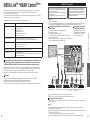
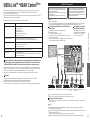
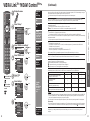
● VIERA LinkTM “HDAVI ControlTM” ··················· 40
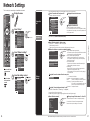
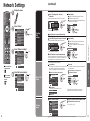
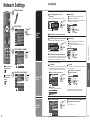
● Network Settings ··········································· 46
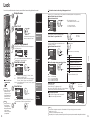
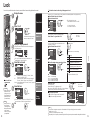
● Lock ······························································· 50
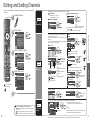
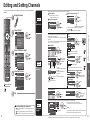
● Editing and Setting Channels ························ 52
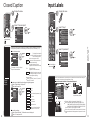
● Closed Caption ·············································· 54
● Input Labels ··················································· 55
● Using Timer ··················································· 56
● Recommended AV Connections···················· 57
3