1
Watching TV (Continued)
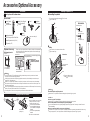
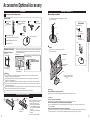
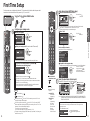
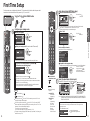
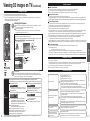
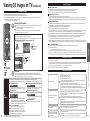
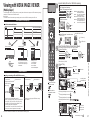
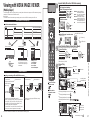
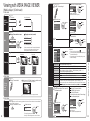
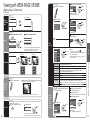
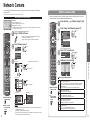
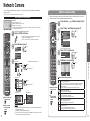
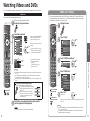
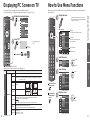
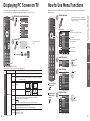
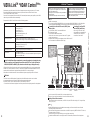
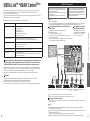
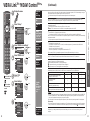
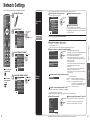
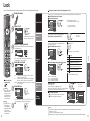
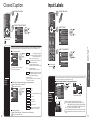
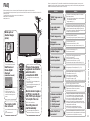
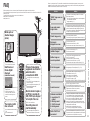
Using VIERA TOOLS
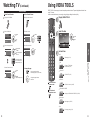
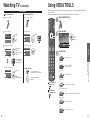
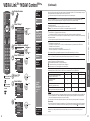
VIERA TOOLS is the easy way to access frequently-used menu items. They are displayed as shortcut icons
on the TV screen.
Unlike a conventional menu, you can enjoy using, playing or setting a function quickly.
Favorite Feature
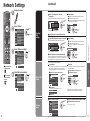
Set the Favorite Feature
1
Display the SUB MENU.
2
Select “Set favorite”
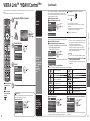
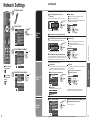
Use the Favorite Feature
1
Display “Favorite channels”
2
Select the channel
select
Setup SUB MENU
Favorite channels
Channel surf mode
1
All
next
5
3
Set the displayed channel
select the list
number
1/3
26-1
Set a Favorite channel
Favorite channels
1
1/3
OK
26-1
Set each item
2
2
save the displayed
channel
3
4
5
3
3D
4
5
or
3D settings (p. 24)
select the list number
(to save the channel
without pressing OK)
1
1/3
THX
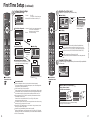
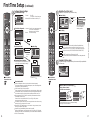
Change to “THX” mode.
Picture mode (p. 61)
To change the page
select
26-1
2
VIERA CAST
Press repeatedly to change
between pages(1/3, 2/3, 3/3 or exit)
VIERA CAST (p. 30)
3
4
5
delete
(while holding down)
Changes the page forward/
backward
VIERA Link
Press to exit from
a menu screen
Using VIERA TOOLS
Watching TV
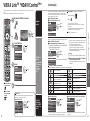
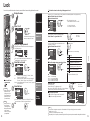
Delete a favorite channel
Set favorite
Viewing
1
select
or
4
Signal meter
Set favorite
1/3
26-1
3
OK
Edit CH caption
3
Select the item
select
2
Set favorite
Display VIERA TOOLS
VIERA Link control (p. 44-45)
VIERA IMAGE VIEWER
Press to return to
the previous screen
Viewing with VIERA IMAGE VIEWER (p. 26-29)
Media player
Media player (p. 26-29)
Eco
Eco/energy saving (p. 39)
20
21