1
Folders
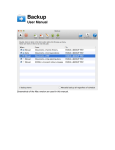
Inside each note database you can create folders to categorise your notes, and
you can re-order notes and folders in the list by cutting/copying and pasting them.
To create a folder use the buttons on the toolbar (additionally on a Mac press
SHIFT+CMD+N to create a folder and CMD+N to create a note). You can also do
these by using the toolbar and main menu, and even a popup menu available
when you right mouse click on the folder/note list.
Deleting
To delete a folder, select it (or select multiple ones), then choose “Delete” from
the toolbar.
Renaming
You can also rename a selected folder by using the menu system.
Exporting
See “Exporting” section under “Notes” below.
Copying/Cutting/Pasting
See “Copying/Cutting/Pasting” section under “Notes” below.