1
VOX.book Page 28 Friday, June 1, 2001 10:05 AM
28
VOX S ERVER P ROGRAMMER ’S G UIDE
Note that if a single VOX Server is used both with VRUs to which the VOX
connects and with VRUs that connect to the VOX, the two kinds of VRUs can use
two different ports (supplied, respectively, by the parameters TCP/IP Port and VOX
Listener Port).
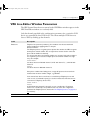
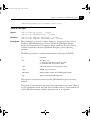
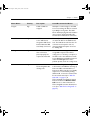
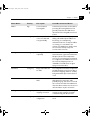
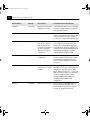
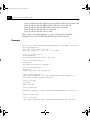
VRU Editor Window Parameters
Label
Description
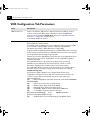
VRU System Name
The network name of the VRU (e.g., NAB3). You must have defined a
mapping between the system name and the IP address of the VRU (usually in
/etc/host). [Note: To have the VOX Server ignore a given VRU, immediately
precede the network name with a semicolon (e.g., ;NAB3). This only
applies if the VOX Server connects to the VRU. The semicolon is
disregarded if used with a VRU that connects to the VOX Server.]
Initiate connection to VOX
If the VRU is of the kind that connects to the VOX Server, check this
option.
If the VRU is of the kind that listens for a connection from the VOX Server,
leave this option unchecked.
The default is unchecked.
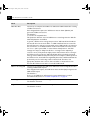
TCP/IP Port
The port through which the VOX Server connects to the VRU. The default,
3000, is recommended. (If the VRU is of the kind that connects to the VOX
Server, ignore this parameter, and use the parameter VOX Listener Port,
discussed in “VOX Listener Port,” on page 30, to specify the port.) This port
should not be used for any other purpose.
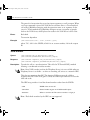
If your system supports named ports ("services"), the value of this field can
be the service name. However, the service name must not begin with a digit.
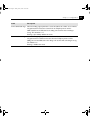
Ping Time
Sets the expected time (in seconds) between pings for the given VRU. If the
VRU does not issue pings at least this quickly, alarms occur. (0 disables this
parameter.)
This parameter is applicable only if the VRU connects to the VOX Server.
The default is 0.