1
SiNet Hub Programmer™ Software Manual
27
Feed to Sensor
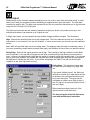
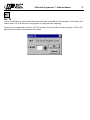
The Feed to Sensor instruction allows you to move the motor until an external event changes the state of an
input.
One useful application for Feed to Sensor is when your motion distance varies. Let’s say you are using a step
motor to dispense labels that come on a roll. You can’t guarantee that the spacing of the labels is exact, so you
don’t want to simply feed out the same number of steps each time. Instead, you can put a sensor on the feed
mechanism that “sees” the edge of each label and signals one of the Si™ Indexer inputs to stop motion.
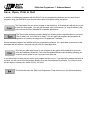
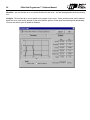
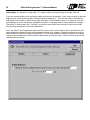
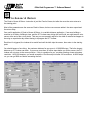
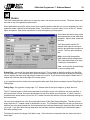
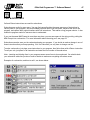
Feed to Sensor will ask for many of the same parameters as the other feed programs: Speed, accel, decel
and direction. You also need to specify a distance. That’s because the Si™ Indexer must have enough space
to decelerate to a stop once the sensor is tripped. The higher the speed, the longer it will take to stop. If the
decel rate is increased, then the motor can stop in fewer steps. The “Minimum Distance” box tells you how
many steps you must allow, based on the speed and decel rate that you’ve set. You can’t set the distance to
less than this minimum.
You’ll also need to tell the Si™ Indexer which input the sensor is wired to and what input condition to look for.
The input must be on the same drive as the motor. The four input conditions are:
High - move until the specified input reaches a high signal state. This is the default state of an input if nothing
is connected to it.
Low - move until specified input is at a low signal state.
Rising Edge - move until the signal goes from low to high. This is similar to the high condition, but the difference is important. Let’s say that you have a sensor wired to the Si™ Indexer that will go high when you want
motion to stop. However, the sensor signal stays high after motion is complete, going low sometime later. This
often happens in labeling applications where there isn’t much space on the roll between labels. If you choose
high as your input condition, the Si™ Indexer will complete the motion, then refuse to start again because the
input signal is still high. If you choose rising edge, the Si™ Indexer would proceed with the input voltage high
and stop when the sensor signal goes from low to high again.