1
SiNet Hub Programmer™ Software Manual
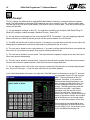
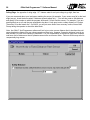
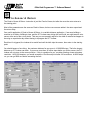
How to get a speed from the user
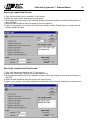
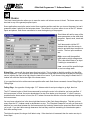
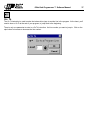
1) Type “Enter the feed rate, in inches/sec” in the text box
2) Select the option button “Display text and get speed”
3) Enter upper and lower limits (in this example, we want to allow the operator to enter flow rates between 1
and 5 inch/sec)
4) Select an MMI variable to store the speed in (we chose Speed1)
5) Later in your program, you’ll need a Feed instruction (Feed to Length, Feed & Return, etc) that uses the
Speed1 variable for speed.
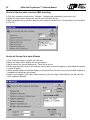
How to get a repeat count from the user
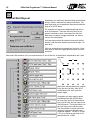
1) Type “How many parts should we run?” in the text box
2) Select the option button “Display text and get repeat count”
3) Enter upper and lower limits (in this example, we want to allow the operator to enter a number between 1
and 500)
4) Select an MMI variable to store the count in (we chose Count1)
5) Later in your program, you’ll need a Repeat instruction that uses the Count1 variable for the repeat count.
21