1
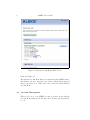
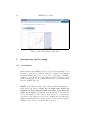
The ALEKS Plug-in The ALEKS plug-in may be required for the use of ALEKS. Please see Sec. 2 for details regarding which ALEKS classes require the ALEKS plug-in. It is normally installed as an automatic part of the registration or login process. The ALEKS plug-in can also be downloaded from the ALEKS website by clicking on DOWNLOADS. The ALEKS Tutorial The ALEKS Tutorial shows how to input answers in ALEKS. Taking the time to learn this is important in order to use ALEKS efficiently. Initial Assessment Your ALEKS Initial Assessment will determine what topics you already know, the topics that you don’t yet know, and, most importantly, those you are ready to learn. Here is some additional information about the assessment: 1. It consists of about 20-30 open-response questions (not multiple choice). 2. It has no time limit. You may take breaks or stop the assessment and return to ALEKS at another time. 3. You should have a pencil and paper with you in order to work through the problems. You should not seek or receive any help during assessments. If you receive help, ALEKS will get a wrong idea of what you are most ready to learn, and will present you with material you are not ready to learn. This will hold up your progress in ALEKS. You should do your best on all questions. Do not click the I don’t know button when answering a question unless you truly have no idea how to do the problem. When you click the I don’t know button, ALEKS assumes that you don’t know how to do the problem type and possibly some of its prerequisite topics. You should not use your browser’s Back and Forward buttons while logged on to ALEKS. Doing so will not help you make progress and may cause temporary software errors. ALEKS will not provide feedback when you are taking the Initial Assessment in ALEKS. No messages will be displayed indicating whether you answered correctly or incorrectly during any of the assessment questions in ALEKS. 3