1
CHAPTER 4
Starting Effektif
If you have finished the setup successfully, you can go on and start the Effektif application. You can use the
checklist in the next subsection to verify you didn’t forget anything. The following subsection explains how to
start Effektif on different operating systems.
4.1 Checklist
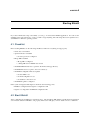
Before starting Effektif, use the following checklist to make sure everything is setup properly.
• Oracle Java 7 is installed
• Apache Tomcat 7 is installed
– the Java options are configured
• MongoDB is installed
– MongoDB is configured
– a MongoDB user for Effektif was created
• the Effektif ROOT folder was copied into the Tomcat webapps directory
• the Effektif license was copied to the correct directory
• the Effektif configuration file was updated
– the base URL is set
– the mail configuration is set
– the database connection is set
• the Effektif log file is configured
If the system is integrated with Signavio check also the following points:
• Effektif is configured in the Signavio configuration.xml
• Signavio is configured in the Effektif configuration file
4.2 Start Effektif
After completing the installation as described above, both the MongoDB database and the Tomcat application
server must be started for Effektif to run properly. This section will give you more details on how to start them.
17