1
QUICK REFERENCE GUIDE
555 Report for the Palm OS
Crossroads Software's 555 Report program actually runs through a programming
language called “CASL” (“Compact Application Solution Language”), developed by
Feras Information Technologies, which develops software for PDAs. Crossroads
Software's original Traffic Collision Database was written in Microsoft Access for
Microsoft Windows, but 3Com's Palm Pilot does not use Windows; instead, it uses the
Palm Operating System. A version of the 555 Report therefore had to be written for the
Palm OS, and that's why Crossroads Software's programmers turned to CASL.
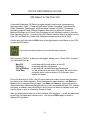
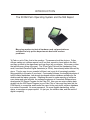
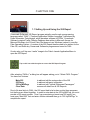
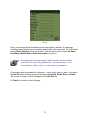
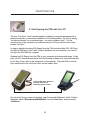
It's also why you'll tap on the CASLrt icon in the Application Launch Menu of your PDA
to open the 555 Report.
Tap on this icon with the stylus to access the 555 Report Program.
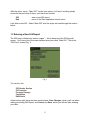
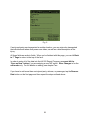
After selecting “CASLrt,” a dialog box will appear asking you to “Select CASL Program.”
You have three choices:
Main 555
555 Party
555 Inj/Wit/Psgr
Clear Data
to add and edit the main portion of the 555
to add and edit party information
to add and edit “Injured/Witnesses/Passengers”
to clear all data from the entire 555 report; be careful when
using this option; refer to section 4.5 of the main user’s
manual for details.
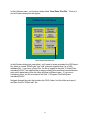
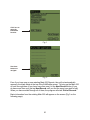
Due to file size limits in CASL, the 555 report had to be broken up into three programs,
but the three are linked together. Each possesses the same features: use Back and
Next buttons to navigate through pages, use Save and Cancel to input information or
delete information (these options apply after you have completed the Main 555, added a
new party, or added a new Inj/Wit/Psgr), tap on buttons to select or deselect them, and
use the stylus to write in information in write-in fields.
After you have finished with one of the individual 555 “programs,” you will be taken back
to the Palm OS Application Launch menu. Just tap on CASLrt again to select a
different 555 “program.”
iii