1
udio
t
S
x
i
Kid P
Activities
Exploring and creating with Kid Pix &
Showcase work in a SlideShow.
This activity will have you explore and create different drawings
and animations using the Kid Pix applications. You should try to
create drawings using as many applications as you can. To
conclude the activity, you will then place all your creations in a
SlideShow presentation.
You should think of a theme and make all your creations based
on this theme.
Art projects to create:
Kid Pix: two drawings
1. Make a title page with your name and SlideShow title.
• Include stamps, graphics and colour.
2. You can create a second Kid Pix Drawing.
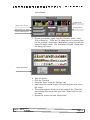
• This drawing should include an imported graphic or a movie.
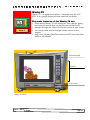
You will need to use the ‘Wacky TV’ to preview the movies.
• Use the typewriter to add text and have the text read aloud
by the computer.
• As a challenge you can also try to include a voice recording for
this drawing. Record your comments or reflections on your
Kip Pix creation thus far.
Moopies: one animated drawing
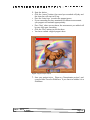
• Use the ‘Wacky Brush’ and the animated stamps to make a
moving picture.
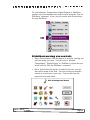
• Many options are available, toggle through the various choice
in the ‘Options Tray’.
• Make sure you save your project twice, once as a ‘Moopie’
which will allow you to edit it later on and a second time
‘Save for SlideShow’ to include it at the end.
Stampimator: one project