1
BizWizard Professional
Users Manual for Version 3.x
Changing Your Password
Each Associate needs to have the ability to change their login password so only they know what
the password is. Anyone who has authority to manage associates has the ability to reset a users
password, however they do not have the ability to see it beyond knowing what it was when the
user was originally setup.
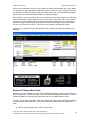
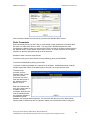
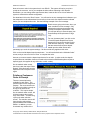
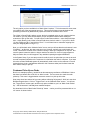
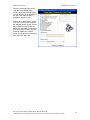
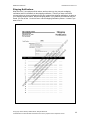
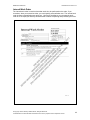
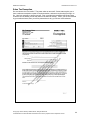
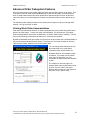
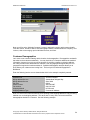
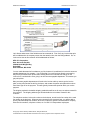
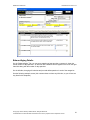
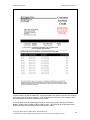
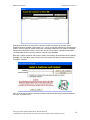
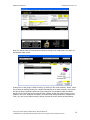
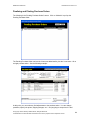
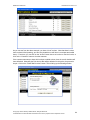
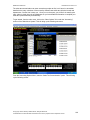
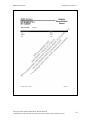
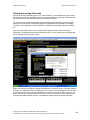
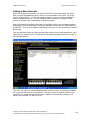
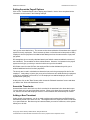
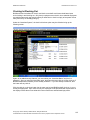
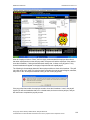
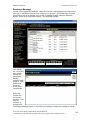
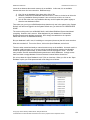
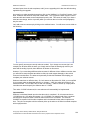
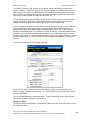
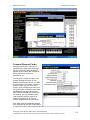
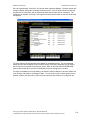
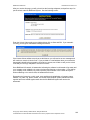
As long as an associate is logged in, they can change their password by clicking on the “Change
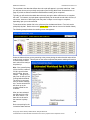
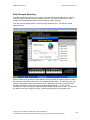
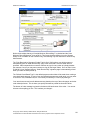
Password” link on under the “Associate System” menu heading. The following is an example of
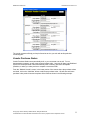
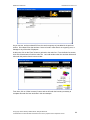
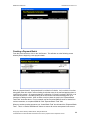
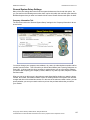
the change password screen:
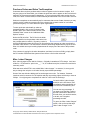
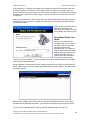
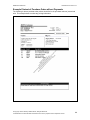
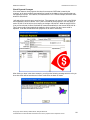
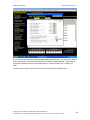
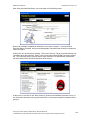
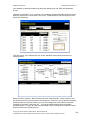
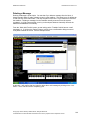
As you can see, you must select the user (even though the user is logged in, this is an added
security feature to ensure the correct users password is being changed) and you must enter the
current password. Notice when you enter a password the asterisk is displayed vs. what is
actually typed. This is another security feature so that anyone that may be looking over your
shoulder will not see what you type.
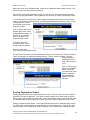
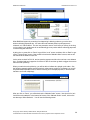
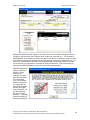
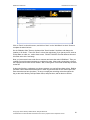
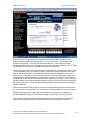
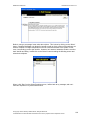
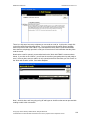
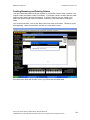
Then you must enter the new password a second time. You enter it twice as this allows the
system to ensure there are not any typos. This is extremely important since you cannot really
see what you type. If the system sees that you have entered the same thing twice then the
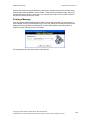
password change will be accepted. If the two passwords entered do not match, you will get an
error indicating the passwords did not match.
© Copyright 1999 to 2004 by NetSoft Studio, All Rights Reserved.
All Trademarks and Services Marks mentioned herein are the properties of their respective owners.
134