1
SeriTek/1S2 User’s Manual
5.
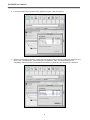
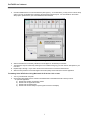
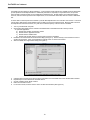
Click the Initialize button to format the hard drive (see Figure 4). As an alternative, you may use the Custom Setup
option if you are comfortable with customizing the hard drive’s partition layout. For more details on the Custom
Setup option, please refer to your Power Macintosh User’s Manual.
Figure 4: Initializing the Hard Drive
6.
7.
8.
9.
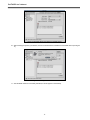
After the hard drive is successfully initialized, it should appear on the desktop as “untitled.”
The hard drive may be renamed by selecting the word “untitled” and typing your own name or description for your
new drive.
Repeat steps 4 through 7 if you wish to format a second hard drive connected to SeriTek/1S2.
Select the File pull-down menu within Apple’s Drive Setup utility and choose Quit to exit the application
Formatting Serial ATA Drives Using Macintosh OS X Version 10.2 or Later
1.
2.
Turn on your Macintosh computer.
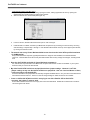
Open Apple’s Disk Utility which is located in the Utilities folder of the Macintosh OS X start-up volume.
To open this application:
a) Double click the Mac OS X startup volume
b) Double click the Applications folder
c) Double click the Utilities folder
d) Double click the Disk Utility icon (See Figures 5 and 6 for examples)
7