1
PEX-485111
Chapter 4 Software Installation
Information
To operate this product, the driver software is required. To download the
driver software free of charge, visit our Web site and get a user ID.
Refer to Help in the software about how to use the DLL functions, sample
programs, and utility programs.
4.1 Windows
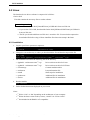
The Interface device driver software is composed as follows.
• Driver disk
This disk contains the device drivers.
Downloading procedure
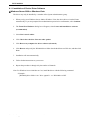
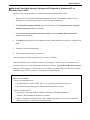
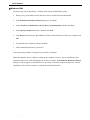
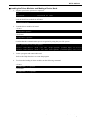
>> Download the Driver Disk of GPF-4851 for your operating system from our Web site.
>> Execute the downloaded program, and then a folder is created.
Note: Refer to “4.1.1 Installation of Device Driver Software,” page 12, for more details.
• Utility disk
This disk contains the Readme, Help, sample programs, utility programs, and so on.
Downloading procedure
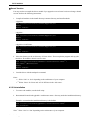
>> Download the Utility Disk of GPF-4851 from our Web site.
>> Execute the downloaded program, and then [SETUP] folder is created.
>> Run the SETUP.EXE file on the [SETUP] folder. The programs will be installed to the drive
you specify.
- 11 -
Interface Corporation