1
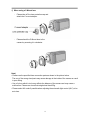
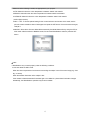
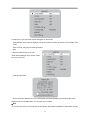
1) Menu Structure
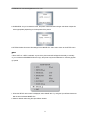
SETUP MENU
1. LENS
• DC • VIDEO • MANUAL
2. EXPOSURE
• SHUTTER • AGC • SENS-UP • RETURN
3. WHITE BAL ATW
• ATW • MANUAL • AWC SET • OUTDOOR
• INDOOR
4. BACKLIGHT OFF
• OFF • WDR • BLC
5. DNR ON
• ON • OFF
6. DAY/NIGHT AUTO
• COLOUR • B/W • AUTO • EXTERN
7. IMAGE ADJ
8. SPECIAL
• FREEZ • V-REV • H-REV • D-ZOOM • SHARPNESS
• RETURN
• CAMTITLE • SYNC • MOTION DET • PRIVACY • DIS
• COMM ADJ • LANGUAGE • RESET • RETURN
9. EXIT
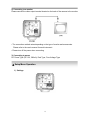
2) How to use the menu
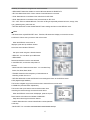
① Lens
Using this function, you can control screen brightness.
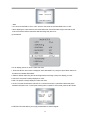
1. When the SETUP menu screen is displayed, select LENS by using the Up and Down buttons so that the
arrow indicates LENS.
2. Select the connected lens type by using the Left and Right buttons.
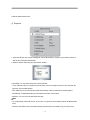
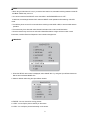
● Video : Select Auto Iris Lens
- When DC is selected, you can control screen brightness. The range of brightness control is between 1 and
70 (40 in case of WDR mode).
Adjust the brightness appropriately for optimal screen brightness.
14