1
HUNTER-PRO 32 User Manual LED Keypads
6
DISPLAY
First time operation
When the keypad is connected to power, its circuitry and LEDs are tested. All
LEDs will light in a changing pattern for 2-3 sec and then the keypad will start
operating with the HUNTER-PRO 32 panel.
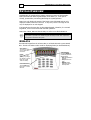
Each LED corresponds with a different zone (numbers 1-9 – RXN-9 / 1-16 –
RXN-416). The LEDs are OFF when the zones are closed and flash when the
zones are open.
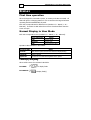
Normal Display in User Mode
Each LED corresponds a zone (numbers 1-9 – RXN-9 / 1-16 – RXN-416).
Zone LED Display
Status
OFF
Zone is closed
Flashing
Zone is open
ON
Zone caused an alarm
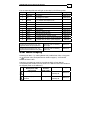
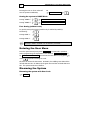
Operation LEDs indication in User Mode:
Operation LEDs
Status
Fault ON
Fault with the system. Use the next section to display fault(s)
Armed ON
System is armed
Bypass ON
One zone or more have been bypassed in the system.
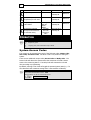
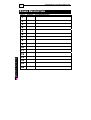
Fault(s) Display
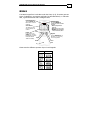
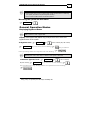
When a fault occurs the red FAULT LED blinks.
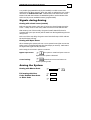
In RXN-416:
In RXN-9:
to display faults
to display fault(s)