1
HUNTER-PRO 32 User Manual LED Keypads
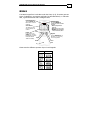
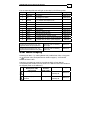
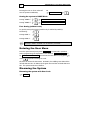
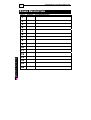
8
-
Numerical LED 8
constantly ON
RXN-9/416
-
Numerical LED 9
constantly ON
RXN-9/416
Numerical LED 7
constantly ON
RXN-9/416
Numerical LED 4
constantly ON
RXN-9/416
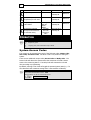
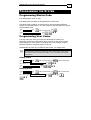
Programming time and date
(After pressing NEXT)
Programming the user codes
Programming zones for
Chime feature
Programming automatic
arming hour and silent time
for automatic arming
Enabling/Disa
bling the
Chime
feature
And valid
User Code
brings User
Menu
OPERATION
NOTE:
Regular key press
Long key press, until confirmation beep is heard
System Access Codes
The system can be operated using each of the following codes: Master Code,
User Code, and Short Code. The Short Code is only useful for arming the
system.
There are two additional unique codes, Duress Code and Relay Code. The
Duress Code will disarm the system and at the same time will send a duress
event to the monitoring station. The Relay Code will activate the on board
relay according to programming.
By default, entering a User Code will toggle the partition/system state (i.e., if it
was disarmed it will commence arming and if it was armed it will disarm).
NOTES:
The system’s default Master Code is: 5555
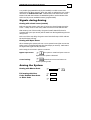
The User Menu can also be accessed as follows:
User Code or Installer Code