1
HUNTER-PRO 32 User Manual LED Keypads
9
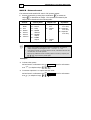
It is possible (programmable only by the installer) to enable a User Code
entering the User Menu instead. When this option is enabled, the user code is
referred to as Enabled User Code. Enabled User Code will function as the
Master Code with the limitation of NEVER being able to set the Master Code
and it can only access enabled functions (programmable).
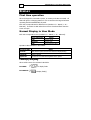
Signals during Arming
Arming with closed zones (normal)
Before arming the system, make sure all zones are closed (except Exit Delay
zones – usually zones on exit route). Make sure that all zone LEDs are OFF.
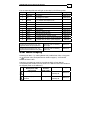
After entering one of these codes, the green 'Armed' LED will flash and a
constant beep (once per second) will be heard from the keypad during the exit
delay period.
At the end of the exit delay, the green control LED shall stop to blink and turn
ON and the beep will stop.
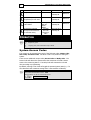
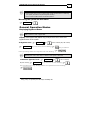
Arming with Open Zones
When activating the system with one or more opened zones (that are not Exit
Delay zones), the keypad will beep fast (two beeps per second). With RXN-9
the bypass LED (right red LED) will blink.
At this stage, there are two options to continue:
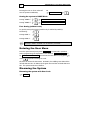
Bypass open zones:
The system is armed and open zones are
system does not arm and returns to
bypassed until system is disarmed
Cancel arming:
normal operating mode
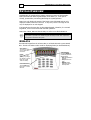
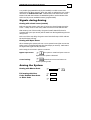
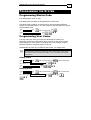
Arming the System
Arming with Master Code
Full arming with User
Code, Enabled User Code
or Short Code
Master Code Short Code
OR
User Code