1
•
•
•
•
•
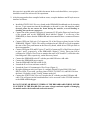
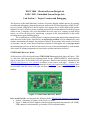
Figure 3: Top view of the board layout, showing pins on the two 33-pin headers (P1 and
P2) and locations of components and connectors.
Section 4.1: Features of the microcontroller (Figure 6 is its block diagram.)
Section 4.2: ST-LINK debug interface. The USB interface will be used in lab to access the
ST-LINK to the microcontroller, rather than the 6-pin connector. Refer to the jumper
settings described in Section 4.2.1. This is the default setting on the board.
Section 4.9: Lists the function(s) of each pin on the board’s two 33-pin headers (P1 and
P2). Each of the 51 GPIO (general-purpose input/output) pins has a default function
(usually simple digital input/output) and one or more alternate functions (analog I/O, timer
inputs/outputs, serial communications, etc.)
Section 6: Board schematic diagrams.
Digilent Electronics Explorer Board
The platform on which projects will be built and tested is the Digilent Electronics Explorer Board
(EEBOARD), shown in Figure 2. The EEBOARD has a breadboard area, plus connections to builtin power supplies and various debugging and test instruments (digital I/O, LEDs, switches,
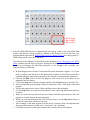
oscilloscope, waveform generator, logic analyzer, etc.) The EEBOARD is controlled from a USBconnected PC via the Digilent WaveForms graphical user interface, shown in Figure 3. This
program is a free download from the Digilent web site.
Digital I/O
Connections
USB
Connector
Breadboard Area
ON/OFF
Switch
Power
Connector
Power Supply
Connections
Figure 2. Digilent Electronics Explorer Board (EEBOARD)