1
3 Basic mode
The controller is in Basic mode when powered up (the initial set-up must be performed, see page 21 ).
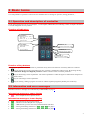
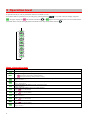
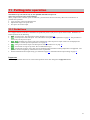
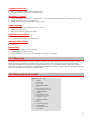
On upper display process value is shown, on lower display there can be stp value or heading oFF
On upper display process
value is shown
When in control stp value
is shovn or if the output
is OFF it shows oFF
•
•
•
•
•
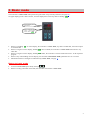
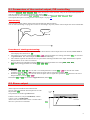
If there is a heading oFF on lower display, the controller is in basic mode, stp value is turned OFF, the control output
is switched OFF.
If there is a figure on lower display, heading ProG does not blink, the controller is in basic mode and controls to stp
value SP1.
If there is a figure on lower display, heading ProG blinks, the controller is in basic mode and runs acc. to the requested
program.
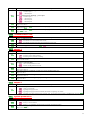
If there is any other heading on lower display, the controller is not in basic mode, parameters are set or viewed.
Information and error messages are indicated only in basic mode, see page 3
Return to basic mode
•
•
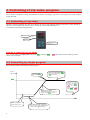
To return to basic mode press shortly the keys
.
If there is no key pressed for 60 seconds, the controller itself returns to basic mode.
5