1
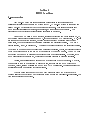
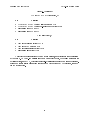
 2.1 Overview
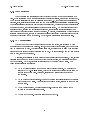
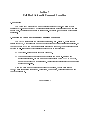
This section describes how to build a custom version of CP/M- 68K by combining your
BIOS with the CCP and BDOS supplied by Digital Research to obtain a CP/M-68K operating
system suitable for your specific hardware system. Section 5 describes how to create a BIOS.
In this section, we assume that you have access to an already configured and executable
CP/M-68K system. If you do not, you should first read Section 6, which discusses how you can
make your first CP/M-68K system work.
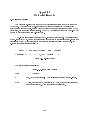
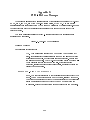
A CP/M-68K operating system is generated by using the linker, L068, to link together the
system modules (CCP, BDOS, and BIOS) . Then the RELOC utility is used to bind the system to
an absolute memory location. The resulting file is the configured operating system. It is named
CPM.SYS.
2.2 Creating CPM.SYS
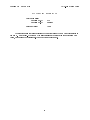
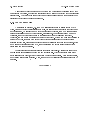
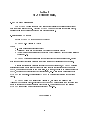
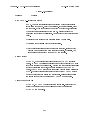
The CCP and BDOS for CP/M-68K are distributed in a library file named CPMLIB. You
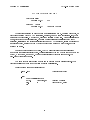
must link your BIOS with CPMLIB using the following command:
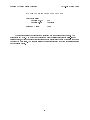
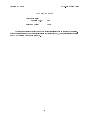
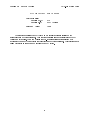
A>LO68 -R -UCPM -0 CPM.REL CPMLIB BIOS.0
where BIOS.0 is the compiled or assembled BIOS. This creates CPM.REL, which is a relocatable
version of your system. The cold boot loader, however, can load only an absolute version of the
system, so you must now create CPM.SYS, an absolute version of your system. If you want
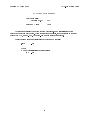
your system to reside at the top of memory, first find the size of the system with the following
command:
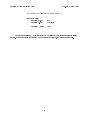
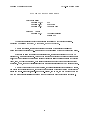
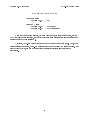
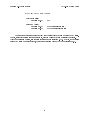
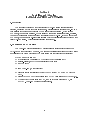
A>SIZE68 CPM.REL
This gives you the total size of the system in both decimal and hex byte counts. Subtract
this number from the highest memory address in your system and add one to get the highest
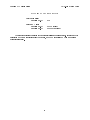
possible address at which CPM.REL can be relocated. Assuming that the result is aaaaaa, type
this command:
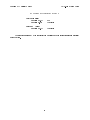
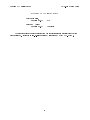
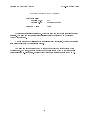
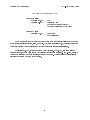
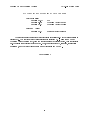
A>RELOC -Baaaaaa CPH.REL CPK.SYS
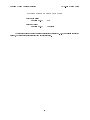
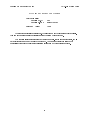
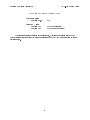
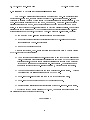
The result is the CPM.SYS file, relocated to load at memory address aaaaaa. If you want
CPM.SYS to reside at some other memory address, such as immediately above the exception
vector area, you can use RELOC to place the system at that address.
7