1
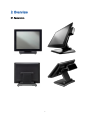
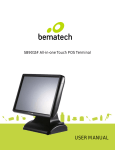
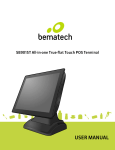
1 Introduction Thank you for purchasing the SB9095 all-in-one touch POS terminal. The SB9095 offers highly enhanced features, with easy connection to various optional devices for optimal performance. This easy-to-use POS terminal is designed to help you enhance your business flexibility and offer superior customer experience. Bematech is committed to continuously improve product quality and provide better after-sales service. In order to take full advantage of our devices, we strongly recommend that you take the time to read this manual before setting up software solution. Note: Information in this manual may change without prior notice. 1.1 Safety Information Before plug in the product, please make sure the power you provide meets the power requirements (such as voltage, frequency); Make sure the ground terminal of the power outlet is working properly. To avoid electric shocks, disconnect the power cord from the electrical outlet before relocating the system. Lightning may damage this product. During lightning storms, unplug the network cable, power cable and any other connections. Turn off power before connecting any devices (except USB devices) to the terminal. Do not attempt to open the chassis. You may be hurt by electric shock. For service, call your place of purchase. Do not spill liquid on the terminal. Do not place any objects into the ventilation holes of this product. It may cause short-circuit of the internal components and cause a fire or electric shock. After the terminal is stored below temperature of 10 ° C, please place it in room temperature (10-35 ° C) in the original packing for at least two hours to allow the terminal to restore to room temperature before operation. This is to avoid condensation that might cause electrical damage. Keep the terminal clean, dry, and away from dust, moisture and direct sunlight. Do not use harsh chemicals or strong cleaning solvents to clean the monitor 2