1
Table of Contents
Introduction.......................................................................................................... 4
Controls, Connections, and Indicators ............................................................. 5
Theory of Operation ........................................................................................ 6
Preparation For Use ............................................................................................. 7
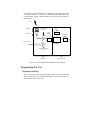
Equipment Markings........................................................................................ 7
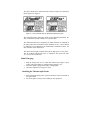
Initial Charging ................................................................................................ 8
Installing the Thermocouple Probe.................................................................. 8
PowerView Software and Computer Preparation ................................................ 9
PowerView Software Versions........................................................................ 9
File Conversion of PowerView Version 1.01 Files ....................................... 10
Connecting the UV PowerMAP and UV Map Plus to PC............................. 10
PowerView Software Installation .................................................................. 10
Identifying and Setting COM Ports ............................................................... 11
Setup and Setup View........................................................................................ 12
Map Configuration......................................................................................... 12
Map Clock ..................................................................................................... 13
Map Status ..................................................................................................... 13
PC Communication Errors............................................................................. 14
Language........................................................................................................ 14
Basic Operation ................................................................................................. 15
Pushbutton Operation .................................................................................... 15
Audible Alarm ............................................................................................... 15
LED Indicator ................................................................................................ 16
The Basic Data Run ....................................................................................... 16
Transfer View .................................................................................................... 17
Uploading Data .............................................................................................. 17
Graph View........................................................................................................ 18
Viewing the Data in Graph Format................................................................ 18
Graph View Controls ..................................................................................... 19
Scaling Controls............................................................................................. 20
Zoom Controls ............................................................................................... 21
Position Controls ........................................................................................... 22
Cursor Controls.............................................................................................. 22
Plot Overlay Controls .................................................................................... 24
Overlaying Plots ............................................................................................ 25
Sample and Reference Blocks ....................................................................... 27
Data View .......................................................................................................... 27