1
PCadCam Software
I
PCadCam2000 SOFTWARE INSTALLATION
I.1.
System Requirements
Hardware:
- Pentium or equal Processor
-
500MB or more Memory
40GB or more Hard disk
Software:
-
Windows 2000, XP Home or XP Professional
AutoCAD2000, 2000i, 2001, 2003, 2004, 2005, 2006, 2007 or 2008
It is important that either one of those AutoCAD is installed with
COMPLETE option, not STANDARD option.
-
PCadCam will not run on AutoCAD LT of any version.
Microsoft Access 97, 2000 or above
If going to install PCadCam for the first time, conduct procedures I.3. to I.6.. If going to
install update on computers with previous install of PCadCam, conduct procedures I.2., I.3.
and I.4..
I.2.
Delete previous version.
If previous version of PCadCam2000/2008 is installed, it should be deleted from computer
following procedures below:
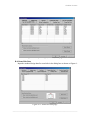
I.2.1. Open AutoCAD and return PCadCam menu to AutoCAD menu.
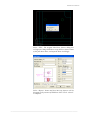
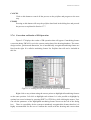
First, open AutoCAD, then key in “MENU” and push ENTER. Select following file and close
AutoCAD.
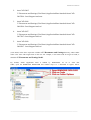
Following file has to be selected according to the versions of AutoCAD:
1.
For versions AutoCAD2000 to 2004
C:\Program Files\ACAD2002/4\Support\acad.mns
――――――――――――――――――――――――――――――――――――――――――――