1
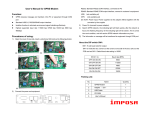
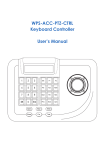
█ Summary ◆ The keyboard controller is used for terminal receivers such as the intelligent speed dome etc. It is very easy for operating and setting the speed dome camera. The controller is also to control the terminal receiver to achieve the function of controlling pan/tilt, lens and etc. ◆ Taking the EIA / RS-485 electrical interface between the keyboard and the receiver. ◆ One keyboard can control as much as 128 speed dome. ◆ The maximum communication distance between the keyboard and the receiver is up to 0.75 mi / 1.2 km. Introduction of the keyboard Panel The Sketch of the Front Panel and Description of Buttons (Figure 1) Figure 1 1、LCD 2、AUTO: To control auto-horizontal rotation for Pan/Tilt. 3、LENS CTRL SWITCH : To select the following function IRIS / FOCUS / ZOOM 4、IRIS OPEN / FOCUS NEAR / ZOOM WIDE: To execute the function which [LENS CTRL SWITCH] selected, there is three function IRIS OPEN / FOCUS NEAR / ZOOM WIDE 2