1
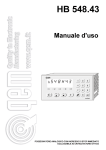
ANALOGIC POSITIONER WITH IMMEDIATE STOP INPUT CONNECTABLE
TO AN OPTIC DETECTOR
b
L1
548H43
rEL
L2
L3
3
L4
L5
El e c tr o ni c I ns t r ume nt
F
HB 548.43
1
2
3
4
5
6
7
8
9
0
User Manual
Supplement to "Installation, maintenance and servicing manual"
HB 548.43
Quality in Electronic Manufacturing
LIST OF SUBJECTS DEALT WITH IN THIS MANUAL
CHAP. 1 - INTRODUCTION
-
Supplementary nature of manual
References
Responsibility and validity
Description of operation
1-1
1-2
1-3
1-4
CHAP. 2 - OPERATOR / MACHINE INTERFACE
- Description of keyboard
- Description of inputs
- Description of outputs
2-1
2-2
2-3
CHAP. 3 - SETTING UP FOR OPERATION
- Set-up
- Calibrations
3-1
3-2
CHAP. 4 - USE
- Work programs and auxiliary functions
- Operation graphs and tables
4-1
4-2
CHAP. 5 - ASSISTANCE
- Inputs and outputs troubleshooting
- How to complete the technical assistance fax form
- Warranty
5-1
5-2
5-3
Pag. 2 di 35
HB 548.43
Quality in Electronic Manufacturing
CHAPTER 1
INTRODUCTION
Supplementary nature of manual
References
Responsibility and validity
Description of operation
Pag. 3 di 35
HB 548.43
Quality in Electronic Manufacturing
1 - 1 SUPPLEMENTARY NATURE OF MANUAL
This manual is to be considered as a supplement to the "Installation, maintenance and servicing manual" which
contains information on wiring, checking and eliminating faults, start-up and maintenance procedures. This manual
gives instructions on the use and correct programming of the instrument.
You are urged, therefore, to read the manual carefully and, if you have any queries, to contact QEM for further
explanations by sending the assistance fax contained in the manual.
1 - 2 REFERENCES
The documentation relative to the instruments designed and sold by QEM has been divided into different booklets for
effective and speedy consultation, according to the type of information required.
User manual
Explanation of software.
This manual gives all the necessary
information for the understanding and
use of the instrument described. The
manual deals with the instrument
software; it gives information on the
understanding, programming,
calibration and use of the instrument
described.
Once the instrument is installed
following the indications given in the
Installation, maintenance and
servicing manual, this user manual
gives all the necessary information
for the correct use and programming
of the instrument.
Hardware structure
Installation, maintenance and
servicing manual
Basic information on the standard
hardware in the series plus
customisation possibilities.
All the necessary information for
installation, maintenance and
assistance.
This booklet is enclosed with the
user manual and describes the hardware configuration for the series of
instruments described.
It also gives the standard electrical,
technical
and
mechanical
specifications for the series, together
with the possibilities of hardware
customisation in relation to the
different software versions.
In-depth explanations of all essential
details for correct installation and
maintenance.
The aim is to provide you with valid
and accurate information for the
manufacture of products of
recognised quality and reliability. It is
also a valid support for whoever
needs technical assistance
concerning a machine that includes
a QEM instrument.
Pag. 4 di 35
HB 548.43
Quality in Electronic Manufacturing
1 - 3 RESPONSIBILITY AND VALIDITY
RESPONSIBILITY
QEM declines all responsibility for any injury to persons or damage to things resulting from the failure to observe the
instructions and rules in this manual and the "Installation, maintenance and servicing manual". It is furthermore
specified that the customer/purchaser is bound to use the instrument according to the instructions provided by QEM
and, if any doubts arise, to send a written query to QEM. Any authorisation for exceptions or substitutions, if contested,
will be deemed valid by QEM only if written consent has been given by QEM.
The reproduction or the transfer of all or part of this manual to third parties is forbidden without QEM's written consent.
Any transgression will result in a claim for compensation for the damages sustained.
All rights deriving from patent or designs are reserved.
QEM reserves the right to make partial or complete modifications to the characteristics of the instrument described
and the corresponding documentation.
Objective
The objective of this manual is to give the general rules for the use of the instrument described.
Recommendation
Write down all the instrument setting and programming parameters, keeping them in a safe place to facilitate any future
replacement or servicing operations.
VALIDITY
This manual is applicable to all instruments designed, manufactured and tested by QEM with the same order code.
This document is valid in its entirety, save errors or omissions.
Instrument
release
Manual
release
0
1
2
3
4
0
1
2
3
3
Modifications to manual
New manual
Access cleared to manual state menu
Modified only software release.
Modified transparent software for manual.
Modified transparent software for manual.
Date of
modifications
25 / 02 / 97
18 / 06 / 97
24 / 10 / 97
24 / 06 / 99
01 / 06 / 11
Pag. 5 di 35
HB 548.43
Quality in Electronic Manufacturing
1 - 4 DESCRIPTION OF OPERATION
The instrument HB 548.43 is an analogic positioner with a quick stop input for interrupting positioning immediately.
This input, enabled only in proximity of the arrival quota, is connected to an optic detector which reads a signal on the
material drawn by the axis. The axis stop is in phase with the signal to eliminate measurement errors due to stretching
or shrinking of the material conveyed.
The instrument has been designed for managing systems for unwinding, welding and cutting nylon bags (ordinary
refuse bags).
Substantially the machine is composed of a cylindrical nylon bobbin, a material conveyor system, a welding and cutting
area and finally a stacker.
Draw rollers unwind the bobbin bringing the bag (length) to the welding/cutting position where a command is given
to cut. The "process" is carried out by a head composed by one welding side and one cutting side, then the bag is closed
at one end and cut at a distance of a few millimetres.
The welding part is joined to the cutting part so the latter tends to become hot which could cause snags attaching the
cut bag to the rest of the reel. For this reason, once the welding/cutting head has completed the "operation", the bag
is conveyed towards the stacker, whilst the rest of the material is reversed slightly in the opposite direction (reverse
quota).
All the cut bags are welded at their bottom end where they become thicker. When stacking, after a certain number
of bags, the pallet would be higher on the welded side (bag bottoms) and lower on the open side. To avoid this
inconvenience, the principle of ramping has been introduced: alternately (one bag yes, one bag no), the length of the
bag is increased by the ramping quota so that, during stacking, the welded parts are not directly one above another
and the pallets are of the same height on both sides.
the instrument is provided with 30 programs, each one of 5 steps.
Pag. 6 di 35
HB 548.43
Quality in Electronic Manufacturing
CHAPTER 2
OPERATOR / MACHINE
INTERFACE
Description of keyboard
Description of inputs
Description of outputs
Pag. 7 di 35
HB 548.43
Quality in Electronic Manufacturing
2 - 1 DESCRIPTION OF KEYBOARD
Key
0
÷
Function
9
Normal operation: pressed after the "F" key, they select the functions available.
Data input: enables entry of data.
Normal operation: programming of the cut quota and the number of cuts.
Data input: not used.
Normal operation: impulse pressure selects the previous display.
Data input: inserts or removes the +/- sign.
Normal operation: impulse pressure selects the successive display.
Data input: inserts the decimal point.
Normal operation: permette di selezionare le funzioni desiderate.
Data input: in writing work programs, allows the display of speed in the recommended
percentage.
Allows exit from functions selected with "F" + "Numerical key".
Normal operation: not used.
Data input: cancels the value entered and restores the old value.
Normal operation: not used.
Data input: memorises the data introduced.
L1
Led not used.
L2
Led not used.
L3
Led not used.
L4
Lights when entering the manual movement function.
L5
Lights when the "F" key is pressed.
+
Access to functions protected by password.
+
Choice of work programs.
+
+
+
Request for count zero reset.
For resetting P.I.D. adjustment parameters.
Manual movements.
Pag. 8 di 35
HB 548.43
Quality in Electronic Manufacturing
Key
+
Function
Input and output diagnostics.
Pag. 9 di 35
HB 548.43
Quality in Electronic Manufacturing
2 - 2 DESCRIPTION OF INPUTS
Input Characteristics
Refer to the chapter entitled "Electrical Characteristics" in the "Hardware structure" booklet enclosed with this manual.
Operating logic
Name
Activation mode
Polarizer
Description
I1
ON
I
P1
Photocell. If it is enabled in automatic and intervenes during positioning, it resets to zero the analog output
with programmable stop functions and terminates positioning. The stop is enabled for reading in automatic
if the count is greater than or equal to (preselected quota - stop band). Active on the ascent or descent front
(set-up). Minimum duration: 1 millisecond.
I2
ON
C
P1
Start / Stop. Enabled in automatic, on the ascent front, it resets the count to zero and commands positioning
on the selected quota. On the descent front it commands any ramp braking if positioning is in progress.
Minimum activation time 10 milliseconds.
I3
ON
C
P1
Drive enabled. If disabled during positioning, analog voltage is immediately brought to zero aborting the
positioning in progress and disabling the space reaction.
I4
/
C
P1
Manual/Automatic. In function of the logic state of this input, it selects the instrument functions mode: ON
= Automatic, OFF = Manual. In manual, it enables axis movement through input I5 (manual forward) or,
through the keyboard, introduction of the work program. In automatic it enables positioning at the work
quotas. During the passage from manual to automatic, or vice versa, it commands eventual ramp braking
if positioning is in progress, interrupting the current procedures.
I5
ON
C
P1
Forward. Enabled in manual, it commands the forward movement of the axis at slow manual speed.
I6
ON
I
P1
Restart. When activated, the instrument resets the program in use: the totaliser (count of operations
performed) returns to zero, the first step of the program is used and the count (axisposition) is reset to zero.
Used to return to the start of the program currently in use.
Key
C = Continuous signal
I = Impulse signal
Pag. 10 di 35
HB 548.43
Quality in Electronic Manufacturing
Name
Description
Vac
Instrument supply voltage. Alternating voltage as per code in your order.
Vac
Instrument supply voltage. Alternating voltage as per code in your order.
GND
Ground connection. Recommended a conductor of Ø 4 mm.
+
Transducers positive power supply. Positive voltage supplied by instrument for instrument and transducers inputs power.
-
Transducers negative power supply. Negative voltage supplied by instrument for instrument and transducers outputs power.
COUNT INPUTS
Operating logic
Name
Polarizer
Description
PHA
N/P
PE
Input "phase A" incremental transducer.
PHB
N/P
PE
Input "phase B" incremental transducer.
Z
N/P
PE
Piece counter block. Activated in automatic, during normal machine functions, it inhibits the piece counter increase.
For details of the count inputs, refer to the chapter "Electrical characteristics" in the "Hardware structure"
booklet enclosed with this manual.
Legenda
N = Transducer with NPN logic.
P = Transducer with PNP logic.
Pag. 11 di 35
HB 548.43
Quality in Electronic Manufacturing
2 - 3 OUTPUTS
Characteristics of outputs
Refer to the chapter "Electrical characteristics" in the "Hardware structure" booklet enclosed with this manual.
Operating logic
Name
Polarizer
Activation mode
Description
U1
ON
C1
C
Positioning . Enabled in automatic, it is energised when positioning is completed if the count is within the
tolerance band or if the stop (I1) has intervened. It is de-energised when a new start is given.
U2
ON
C1
C
Stop not executed. Enabled in automatic, it is energised when positioning is completed without the
intervention of the photocell. It is de-ergised when a new start is given.
U3
ON
C1
C
Follow-up error. To position an axis, the instrument generates an ideal positioning profile (acceleration
ramp, tract at constant speed, deceleration ramp). If the real position of the axis exceeds the ideal profile set
as "follow-up error" in set-up, this output is energised to signal the malfunction.
U4
ON
C1
I
Step end. This output is energised for 300 milliseconds to signal that the current step has been completed
and therefore the execution of all the programmed operations.
U5
ON
C1
C
Program end. This output is energised to signal that the current program has been executed completely and
therefore all the programmed operations. It is de-energised when a new start is given.
Key
C = Continuous signal
I = Impulse signal
Pag. 12 di 35
HB 548.43
Quality in Electronic Manufacturing
CHAPTER 3
SETTING UP FOR OPERATION
Set-up
Calibration
Pag. 13 di 35
HB 548.43
Quality in Electronic Manufacturing
3 - 1 SET-UP
Since these parameters set the instrument's operating mode, access is restricted to the installer only; a password must
be entered for programming operations as follows:
Description
Keyboard
Access to the set-up programming.
F
+
0
Display
PASS
H ...
L5
Introduce the access code "548" and confirm with ENTER.
Exit is possible at any time after introducing the password by
pressing the key illustrated.
FUNCTION
DISPLAY
5
4
0
= ON
8
F
DESCRIPTION
0 = Normal display.
Hdr
0
1 = Display with HDR 1 system (High definition reading).
Display method
2 = Display with HDR 2 system (High definition reading).
N.B. Refer to the "Installation, maintenance and servicing
manual".
C IF
dEC
Decimal figures
Max. 3
r iSoL
0
40 0 0 0 0
Encoder resolution
Specifies the number of figures after the decimal point, with which
to display the count (axis position).
N.B. Introduction of decimal figures influences the DISPLAY of
the count; precision in positioning depends on the number
of impulses supplied by the transducer.
This parameter indicates by how much the encoder revolution
impulses must be multiplied to display the lengths in the required
unit of measurement. Values can be introduced from 0.00200 to
4.00000 bearing in mind that the frequency of the PH phases
must not exceed the instrument's maximum count frequency.
N.B. Refer to the "Installation, maintenance and servicing
manual".
Pag. 14 di 35
HB 548.43
Quality in Electronic Manufacturing
FUNCTION
DISPLAY
DESCRIPTION
Un u EL
1
Unit of speed
Specifies if the unit of measure (Um) of axis movement is in
minutes or seconds (mm/minute, mm/second, ...).
0 = Um / min.
1 = Um / sec.
Max Speed
Max. 999999
U EL MAS
123456
This parameter is used to set the maximum axis speed, relative
therefore to the analog reference of +/- 10 V; the value always
refers to the set unit of measure (um/min. or um/sec.).
N.B. This parameter MUST be calculated according to the
indications given in the paragraph "Analog axis calibration".
F Un
0 = Manual movements are with reaction control.
This means that the instrument contrasts any axis movement
from the reached quota due to external causes (offset, operator,
...).
MAn
0
Manual movement
functions
Manual speed
Slow manual
speed
1 = Manual movements are without reaction controle.
This means that the axis can be moved and the position is not
recovered.
EL MAn
This parameter is used to set axis speed in manual movements;
the value always refers to the set unit of measure (um/min. - um/
sec.) and must be less than or equal to the maximum speed.
u EL MAn
L
9990
This parameter is used to set axis speed in slow manual
movements; the value always refers to the set unit of measure
(um/min. - um/sec.) and must be less than or equal to the manual
speed.
EL t St
This parameter is used to set axis speed when carrying out the
test for calibrating the P.I.D. parameters.
The value always refers to the set unit of measure (um/min. - um/
sec.) and must be less or equal to the maximum speed.
Ac c EL
This parameter is used to set the acceleration ramp for the axis;
the value set determines the time employed by the axis to move
from stop to the max speed.
u
u
Test speed
Acceleration
Max. 9.99
123456
12345
99 9
Pag. 15 di 35
HB 548.43
Quality in Electronic Manufacturing
FUNCTION
DISPLAY
DESCRIPTION
Deceleration
Max. 9.99
dEc EL
In seconds, determines the time necessary for the axis to slow
from maximum speed to zero.
Err inS
999990
To govern an axis movement, the instrument generates an ideal
profile for positioning. The follow-up error is the maximum differernt
acceptable between the position reached by the axis and the
position it should have reached, beyond which the follow-up error
is signalled (U3 = ON). The value introduced is in primary encoder
inpulses multiplied × 4.
M In u
To avoid any mechanical stress due to inversions that are too
rapid in the axis' direction of movement, a delay time, expressed
in seconds, can be inserted for inversion. This parameter has an
influence on functions only when positioning with play recovery.
toL L
123
This is the count range for all the positioning quotas that identifies
the zone in which positioning has been made correctly.
Example. Quota 100.0 and tolerance 1.00; all positionings
completed between 101.0 and 99.0 can be considered correct.
rEtr
If enabled in the work program, when starting, the axis will reverse
by the quota set and then position on the programmed measure.
Follow-up error
Max. 999999
Inversion
time
Max. 9.99
Tolerance
Max. 999
Reverse quota
Max. 9999
99 9
t
10 0
QAr
Pi d
1234
2
Access to reading and/or writing of P.I.D. data (see special
paragraph).
0 = Access not enabled.
P.I.D. data
1 = Access to reading of data.
2 = Access to reading and writing of data.
Photocell
activation front
Fr ont E
In I
0
0 =The stop is acquired on the photocell ascent front.
1 = The stop is acquired on the photocell descent front.
After programming the last function, the display of the first set-up parameter is given again.
Pag. 16 di 35
HB 548.43
Quality in Electronic Manufacturing
3 - 2 CALIBRATIONS
PROCEDURE FOR CALIBRATING THE ANALOG OUTPUT
Setting some set-up parameters.
Settings are made in set-up of the parameters relative to decimal figures, transducer resolution and units of speed.
Description
Access to the calibrating procedure
Activate the enabled drive input (I3 = ON).
Introduce the password "123".
Keyboard
F
1
0
+
2
3
The double arrow key can be used to select three different displays:
"tu" (output voltage), "OF" (count offset) "GA" (ring gain).
Display
PASS
H ...
L5
tu
0F
Checking connections
First of all, check that the tachometer dynamo is connected correctly
to the drive. Select the display relative to "Output voltage (tu)" and
use the numerical keyboard to introduce a voltage value, then
confirm with ENTER. We recommend entering a rather low voltage
value (ex. 0.5 V) and to observe if the motor is turning at about 1 /
20 of its maximum speed (if the drive accepts a maximum voltage
of 10V).
Supplying a positive voltage from the keyboard, the motor should
turn "forwards" with a speed proportional to the value entered, and
the displayed count must show an increase.
N.B. The voltage value entered from the keyboard is supplied
by the analog output without an acceleration ramp.
Offset calilbration
Select the display "step offset (OF)" and follow the indications
below:
the operator can use the numerical keys and sign to enter any value
which, when confirmed with ENTER, will immediately be given in
output.
tu
0
÷
÷
= ON
000
00
345
123
000
00
9
0F
0
0
345
123
9
Follows on next page.
Pag. 17 di 35
HB 548.43
Quality in Electronic Manufacturing
Description
Calculating the speed
The instrument is now able to calculate and display the value of the
maximum speed to enter as the "Maximum speed (VEL.MAS.)"
parameter in set-up.
Select the display relative to "entered output voltage (tu)". Using the
numerical keyboard, introduce a voltage of 10 volt (corresponding
with maximum motor speed).
N.B. The voltage value entered from the keyboard is supplied
by the analog output without an acceleration ramp.
Keyboard
tu
1
If the axis cannot be moved at maximum speed, enter a voltage of
1 volt. The speed displayed by the instrument must then be
multiplied by 10.
With the axis in movement, press the key illustrated.
The top display will show the count frequency (detected in encoder
phases). The bottom display will show the value for the maximum
speed to be entered in the set-up parameter "Maximum speed".
A filter can be entered on this display by holding down the ENTER
key.
To exit the function at any time, press key illustrated.
Display
00
0
F
UL
F
000
L5
12345
9876
= OFF
Complete the set-up.
Pag. 18 di 35
HB 548.43
Quality in Electronic Manufacturing
PROCEDURE FOR P.I.D. CALIBRATION
P.I.D. calibration must be made after that of the analog output (calculation of the maximum speed). Before starting
P.I.D. calibration, set the following parameters in set-up: "Decimal figures", "Encoder resolution", "Unit of speed",
"Maximum speed", "Test speed", "Acceleration/deceleration ramps" and "inversion time".
Enter calibration functions for P.I.D. (see below) and, setting the value "0" when asked to enable P.I.D. (only data
writing), reset to zero the parameters for "Integral time" and "Deriving time", setting the feed-forward value on 100%.
Description
Enter calibration functions for P.I.D.
The operator can choose whether to calibrate P.I.D. or only to
modify the parameters.
Set value "0" to modify the parameters or set "1" to enable calibration.
A request will be made to enter the test quota, that is the movement
made by the axis in both directions during the calibration phases.
When the entered value is confirmed with ENTER, the axis moves
forwards by the quota set, using the set ramps for acceleration and
deceleration and, once it reaches that quota, after the inversion
time, it returns to its start quota; this oscillation occurs throughout
the whole calibration phase.
Select the display relative to feed forward (the values introduced are
in percentage 100 = 100%). If the maximum speed has been
calculated correctly, the value for feed forward should be around
100%. The bottom left displays indicate the error value which must
be reduced to about "0" (if the error is negative the displays will
flash). The maximum error value will be found on the ramps while
it will be relatively constant along the linear path.
Modify the feed-forward value to return the error to zero in the
positioning phase and with constant speed.
Keyboard
F
Display
L5
4
+
0
o
1
0
÷
9
Ab i L i t
P id
C
÷
0
126456
FF
99
0
= ON
2345
1 1 00
2345
9
N.B. The feed-forward value must be increased if the error is
positive when the axis moves forward; in the same way, it
must be increased if the error is negative when the axis moves
backwards. Contrary-wise, it must be decreased if the error is
negative when the axis moves forward and decreased if the
error is positive when the axis moves backwards.
Continues on next page.
Pag. 19 di 35
HB 548.43
Quality in Electronic Manufacturing
Description
Keyboard
Select the display relative to proportional gain.
Introduce the value "0.001". Initially the axis is very slow. It does not
respect the acceleration/deceleration ramps, the maximum speed
and position are not reached. This means that the set value is too
low. Increawe the value until the system becomes unstable
(oscillations with the axis in movement and vibrations when it is still).
0
÷
0
÷
0
In
99
05 0 0
dE
99
00 0 1
2345
- 123
73
9
E P1234
17 n
- 73
Pressure on the key illustrated will display the maximum error of
P" and negative space "n
n" calculated by the
positive space "P
instrument every 50 milliseconds and the value, in volts, of analog
voltage A1 (display at bottom left). If the voltage is negative, the
displays will flash.
To exit the function at any time, press key F; the instrument will
return to the normal displays.
÷
02 5 5
9
Select the display relative to the derived time (expressed in seconds).
Starting from the basis of 0.001 seconds, the time must be gradually
increased until arriving at a value where the axis improves its
dynamic performance and remains stable (it does not oscillate).
This function is excluded if the value "0" is set.
G
99
9
Select the display relative to the integral time (expressed in seconds).
Starting from the basis of 0.500 seconds, gradually reduce the time
until arriving at a value where the axis improves its dynamic
performance and remains stable (it does not oscillate).
If the integral time entered is not sufficient, there will be low
frequency oscillations, whilst if its value is too high the oscillations
will be high frequency.
Display
F
L5
= OFF
Pag. 20 di 35
HB 548.43
Quality in Electronic Manufacturing
CHAPTER 4
USE
Work programs and auxiliary functions
Operation graphs and tables
Pag. 21 di 35
HB 548.43
Quality in Electronic Manufacturing
4 - 1 WORK PROGRAMS AND AUXILIARY FUNCTIONS
HOW TO ENTER THE STANDARD WORK PROGRAM
Description
Keyboard
Display
Enter the work program writing.
In t r o d
Pr G 12
A request is made to enter the program number (max. 30) to be
modified. The operator can introduce the value and confirm with
ENTER.
0
÷
9
A request is made to enter the type of process. Entry of the value 1
selects the standard program. The operator can introduce the vale
and confirm with ENTER.
t IPo
The display shows the ramping quota representing the value,
expressed in units of measurement, by which alternate pieces are
increased to avoid overlapping of the welded ends. The operator
must confirm with ENTER.
Sc AL Et
A request is made to enable reverse movement. If the settting is 0,
at every start, positioning is made at the set length, while with a
setting of 1, at each start, positioning at set length is preceded by a
reverse (value set in set-up) to allow the material to be detached
from the residue of welding the previous bag. the operator can
introduce the value and confirm with ENTER.
L Au
1
1234
Ar r Et r
0
o
0
÷
9
I
L Un Gh
A request is made to enter the number of pieces to be cut. The
operator can introduce the value and confirm with ENTER.
0
÷
9
I
QUAn t
A request is made to enter the positioning speed expressed as a
percentage of the maximum speed. The operator can introduce the
value and confirm with ENTER.
0
÷
9
I
uEL oc
A request is made to enter the program end. The operator can
introduce value 1 and confirm with ENTER. If he enters the value 0,
then data entry continues with the next step (max. 5).
0
o
I
FinE
A request is made to enter the length of the piece. The number that
appears in the top left display (1) indicate the number of the step
being entered. The operator can introduce the value and confirm
with ENTER.
1
123456
12345
100
Pr G
0
To exit at any time, press this key.
NOTE: All changes made to the work program with the
instrument in automatic mode will be executed at the
first start after exiting the menu.
Pag. 22 di 35
HB 548.43
Quality in Electronic Manufacturing
ENTRY OF WORK PROGRAM WITH PHOTOCELL
Description
Keyboard
Display
In t r o d
Access to program entry.
Pr G 12
A request is made to enter the program number (max. 30) to be
modified. The operator can introduce the value and confirm with
ENTER.
0
÷
9
t IPo
A request is made to enter the type of process. Entry of the value 2
selects the program with photocell. The operator can introduce the
value and confirm with ENTER.
L Au
2
The display will show the braking space. This is the distance to be
covered after intercepting the reference mark read by the axis
photocell. The distance must be great enough to allow the axis to
stop. The operator must confirm with ENTER.
SP
The display shows the field for enabling the photocell to read. The
photocell is enabled in the band between (length - SP FrEn. - Ab.
LEtt. F and length - SP. FrEn. + Ab. LEtt. F). At the time of enabling
the photocell, this is already enabled and positioning is completed
after the braking space. The operator must confirm with ENTER.
Ab L Ett
F
123456
The display shows the ramping quota which represents the value,
expressed in units of mesurement, of the increased length of
alternate pieces to avoid overlapping the welded edges. The operator
must confirm with ENTER.
Sc AL Et
A request is made to enable reverse. By setting 0, at each start
positioning will be made along the set length, while by setting the
value 1, at each start, positioning along the set length is preceded
by a reverse movement (value set in set-up) to detach the material
from the residue of welding the previous bag. The operator can
introduce the value and confirm with ENTER.
A request is made to enter the length of the piece. The number that
appears on the top left display (1) indicates the number of the step
being entered. The operator can introduce the value and confirm
with ENTER.
A request is made to enter the quantity of pieces to be cut. The
operator can introduce the value and confirm with ENTER.
Fr En
123456
1234
Ar r Et r
0
o
0
÷
9
I
L Un Gh
0
÷
9
I
QUAn t
1
123456
12345
Continues on next page.
Pag. 23 di 35
HB 548.43
Quality in Electronic Manufacturing
Description
A request is made to enter the positioning speed expressed as a
percentage of the maximum speed. The operator can introduce the
value and confirm with ENTER (if the speed entered is greater than
the recommended value, the speed display will start to flash).
Keyboard
0
÷
By pressing the shown key it is possible to display the speed in the
recommended percentage. When the key is pressed again, the
display will return to showing the positioning speed.
A request is made to enter end of program. The operator can
introduce the value 1 and confirm with ENTER. If he introduces the
value 0 data entry will continue with the next step (max. 5).
0
o
9
Display
I
uEL oc
I
uEL oc
I
FinE
100
C O M1 0 0
Pr G
0
To exit at any time press the shown key.
NOTE: All the changes made to the work program with the
instrument in automatic mode will be executed with the
first start following exit from the menu.
Pag. 24 di 35
HB 548.43
Quality in Electronic Manufacturing
ENTRY OF A WORK PROGRAM WITH DOUBLE WELDING
Description
Keyboard
Display
In t r o d
Access to program entry.
Pr G 12
A request is made to enter the number of the program (max. 30) to
be modified. The operator can introduce the value and confirm with
ENTER.
0
÷
9
A request is made to enter the type of process. Entry of the value 3
selects the program with double welding. The operator can introduce the value and confirm with ENTER.
t i Po
The display shows the ramping quota which represents the value,
expressed in units of measurement, of the increased length of
alternate pieces to avoid overlapping the welded edges. The operator
must confirm with ENTER.
Sc AL Et
The display shows the welding distance. This is the value which, at
the start following that of measured positioning, commands a
reverse by this distance to make another welding close to the
previous one. Only after the second welding does the piece counter
increase and awaits a new start to unwind another bag. The
operator must confirm with ENTER.
d IS SAL
123456
A request is made to enable reverse. By setting 0, at each start,
positioning will be made along the set length, while by setting the
value 1, at each start, positioning along the set length is preceded
by a reverse movement (value set in set-up) to detach the material
from the residue of welding on the previous bag. The operator can
introduce the value and confirm with ENTER.
L Au 3
1234
Ar r Et r
0
o
0
÷
9
I
L Un Gh
A request is made to enter the quantity of pieces to be cut. The
operator can introduce the value and confirm with ENTER.
0
÷
9
I
QUAn t
A request is made to enter the positioning speed expressed as a
percentage of the maximum speed. The operator can introduce the
value and confirm with ENTER.
0
÷
9
I
uEL oc
A request is made to enter end of program. The operator can
introduce the value 1 and confirm with ENTER. If he introduces the
value 0 data entry will continue with the next step (max. 5).
0
÷
I
FinE
A request is made to enter the length of the piece. The number that
appears on the top left display (1) indicates the number of the step
being entered. The operator can introduce the value and confirm
with ENTER.
1
123456
12345
100
Pr G
0
To exit at any time press the shown key.
NOTE: All the changes made to the work program with the
instrument in automatic mode will be executed with the
first start following exit from the menu.
Pag. 25 di 35
HB 548.43
Quality in Electronic Manufacturing
ENTRY OF A WORK PROGRAM WITH DOUBLE WELDING AND PHOTOCELL
Description
Keyboard
Display
In t r o d
Access to program entry.
Pr G 12
A request is made to enter the number of the program (max. 30) to
be modified. The operator can introduce the value and confirm with
ENTER.
0
÷
9
t IPo
A request is made to enter the type of process. Entry of the value 4
selects the program with double welding and photocell. The operator
can introduce the value and confirm with ENTER.
L Au
4
The display shows the braking space. This is the distance to be
covered after intercepting the reference mark read by the axis
photocell. The distance must be great enough to allow the axis to
stop. The operator must confirm with ENTER.
SP
The display shows the field for enabling the photocell to read. The
photocell is enabled in the band between (length - SP FrEn. - Ab.
LEtt. F and length - SP. FrEn. + Ab. LEtt. F). At the time of enabling
the photocell, this is already enabled and positioning is completed
after the braking space. The operator must confirm with ENTER.
Ab L Ett
F
123456
The display shows the ramping quota which represents the value,
expressed in units of measurement, of the increased length of
alternate pieces to avoid overlapping the welded edges. The operator
must confirm with ENTER.
Sc AL Et
1234
d IS SAL
123456
The display shows the welding distance. This value, with the start
following the one for measured positioning, commands a reverse
movement of this distance to make a second welding operation
close to the previous one. Only after the second welding does the
piece counter increase, then waits for a new start to unwind another
bag. The operator must confirm with ENTER.
A request is made to enable reverse. By setting 0, at each start,
positioning will be made along the set length, while by setting the
value 1, at each start, positioning along the set length is preceded
by a reverse movement (value set in set-up) to detach the material
from the residue of welding the previous bag. The operator can
introduce the value and confirm with ENTER.
A request is made to enter the length of the piece. The number that
appears on the top left display (1) indicates the number of the step
being entered. The operator can introduce the value and confirm
with ENTER.
Fr En
123456
0
o
0
÷
Ar r Et r
1
9
I
L Un Gh
123456
Continues on next page.
Pag. 26 di 35
HB 548.43
Quality in Electronic Manufacturing
Description
A request is made to enter the quantity of pieces to be cut. The
operator can introduce the value and confirm with ENTER.
A request is made to enter the positioning speed expressed as a
percentage of the maximum speed. The operator can introduce the
value and confirm with ENTER (if the speed entered is greater than
the recommended value, the speed display will start to flash).
Keyboard
0
÷
9
I
QUAn t
0
÷
9
I
uEL oc
I
uEL oc
I
FinE
By pressing the shown key it is possible to display the speed in the
recommended percentage. When the key is pressed again, the
display will return to showing the positioning speed.
A request is made to enter end of program. The operator can
introduce the value 1 and confirm with ENTER. If he introduces the
value 0 data entry will continue with the next step (max. 5).
Display
0
o
1
12345
100
C O M1 0 0
Pr G
0
To exit at any time press the shown key.
NOTE: All the changes made to the work program with the
instrument in automatic mode will be executed with the
first start following exit from the menu.
CHOICE OF THE WORK PROGRAM TO BE EXECUTED
Description
Access to program choice functions.
A request is made to enter the number of the program (max. 30) to
be executed. The operator can introduce the value and confirm with
ENTER.
The choice of a program aborts completely the execution of the
program previously in use.
To exit the function, press the key shown. The display will return to
the one in use.
Keyboard
F
0
F
1
+
÷
Visualizzazione
SCEL t A
Pr G 12
L5
= ON
L5
= OFF
9
Pag. 27 di 35
HB 548.43
Quality in Electronic Manufacturing
COUNT RESET TO ZERO
Description
Keyboard
Enter the count reset function, as long as positioning is not in
progress.
Display
A22Er A
+
Cont
L5
= ON
L5
= OFF
Press the key shown to reset the count to zero.
Press any key to exit the function. The screen will return to the
display in use.
MANUAL MOVEMENT OF THE AXIS
The instrument offers certain functions for manual management of the axis. From the keyboard it is possible to move
the axis in the two directions and with two different speeds. After selecting the manual axis movement function, using
key 7 the axis can be moved "back" (the count decreases), using key 9 the axis can be moved "forwards" (the count
increases). Key 8 is used to select the manual movement speed (slow or fast).
Description
Keyboard
Enter manual functions (I4=OFF) and select the display relative to
axis movements.
The bottom left display shows the speed selected with key 8 (L =
slow, F = fast).
The bottom right display shows the count (axis position).
During manual movements the limits set with minimum and maximum
quotas (set-up) are enabled.
To exit manual functions, press the key illustrated. The screen will
return to the display in use.
M An UAL E
L
1 2 3 4 56
+
7
8
Display
L4
= ON
L4
= OFF
9
Pag. 28 di 35
HB 548.43
Quality in Electronic Manufacturing
DISPLAYS
Description
Keyboard
Display
Top right Display
Current quota.
Bottom right Display
Count.
Q 123456
C
123456
Top right Display
Preselected quantity.
Bottom right Display
Quantity processed.
Q P12345
QF
12345
Top right Display
Speed as a percentage.
Bottom right Display
ini
b" will appear if this is not
Photocell reading band (the message "ini
inib
enabled).
u EL 100
FL
12345
Top right Display
Number of current program.
Bottom left Display
Number of steps in progress.
Bottom right Display
Type of work to be carried out.
PrG
12
P S 3 tL 3
If the operator enters a value outside acceptable limits.
Er r o r
a) If the data shown is greater than the allowed maximum, depending
on the number of characters set (example: if the data is to be
shown in a single figure, the value will be shown between 0 and
9, or -9 and 9 when the sign is foreseen.
b) The data shown is not within the limits set by the user (example:
manual speed less than maximum speed).
$$$$$$
Pag. 29 di 35
HB 548.43
Quality in Electronic Manufacturing
4 - 2 WORK GRAPHS AND TABLES
EXAMPLE OF FUNCTIONS
Bobina di nylon
Rulli di trascinamento
Taglio
Saldatura
Sacchetti accatastati
(risultato della quota di scalettamento)
Pag. 30 di 35
HB 548.43
Quality in Electronic Manufacturing
FUNCTIONS DIAGRAM
1) When the instrument starts, it resets the count to zero, deactivates outputs U1 and U2 and begins positioning.
2) When the count enters the stop reading band, input I1 is activated bringing the analog output to zero and, with the
axis at a standstill, activating output U1; the repeat counter increases. If positioning were completed without
activating input, output U2 would be activated for an unperformed stop. The repeat counter is enabled when input
Z is OFF.
3) If manual (I4=OFF) is activated during positioning, the axis will brake and positioning is aborted.
Pag. 31 di 35
HB 548.43
Quality in Electronic Manufacturing
CAPITOLO 5
ASSISTANCE
Input and output troubleshooting
How to complete the technical assistance fax form
Warranty
Pag. 32 di 35
HB 548.43
Quality in Electronic Manufacturing
5 - 1 INPUT AND OUTPUT TROUBLESHOOTING
The instrument provides diagnostics of the logic status of the digital input and outputs; according to the numbers
displayed, it is possible to understand whether an input arrives at the instrument and if an output has been energised.
The first display after access to the diagnostics function refers to the inputs status; if number 1 is displayed, input 1
has been activated; display of the number 2 means that input 2 has been activated and so on. Input Z (transducer zero
impulse) is signalled with a C; if this is shown, there is no zero impulse; if not shown, the zero impulse is supplied to
the instrument.
The successive display refers to the logic status of the digital outputs. The same correspondence (each number
corresponds with its equal output); for example, the presence of the number 4 indicates that the instrument is
energising output 4.
Description
Access to diagnostics functions. The input status (inG) will be
displayed.
Keyboard
F
+
6
Display
i
n G1 2 3 4
c 56
L5
Press the ENTER key to pass to display of outputs status (out).
To exit the program choice function, press key displayed.
o
F
= ON
u t 1234
5
L5
= OFF
5 - 2 HOW TO COMPLETE THE TECHNICAL ASSISTANCE FAX FORM
We need your help if we are to provide you with a quick, efficient and high-quality service.
Whenever you need the assistance of QEM in dealing with any technical problems that may arise in your
applications and, even though all the instructions in the "Installation, maintenance and servicing manual"
have been followed, the problem persists, we invite you to complete all parts of the fax form enclosed with
the installation, maintenance and servicing manual, and to send it to the QEM assistance office.
In this way, our service engineers will have all the essential information for understanding your problem
(avoiding long and costly telephone calls).
Thanking you for your kind co-operation, QEM wishes you all the best in your work.
NOTE
If you have to send us an instrument for repair, please read carefully the following points.
- When possible, use the original packing; in any event, the packaging must protect the instrument from bumps
during transport.
- Be sure to enclose in the pack a detailed description of the problem you have encountered, together with the part
of the wiring diagram that concerns the instrument. If the problem has been found in the data memory, please
enclose also the instrument programming (set-up, work quotas, auxiliary parameters ...).
- If necessary, ask us specifically for an estimate on the repairs. If no estimate is requested, the cost will be calculated
on completion.
- Our service engineers will give priority to instruments that are sent in accordance with the instructions given in these
notes.
5 - 3 WARRANTY
The warranty conditions are as stated in the general conditions of sale.
Pag. 33 di 35
HB 548.43
Quality in Electronic Manufacturing
NOTES
Pag. 34 di 35
HB 548.43
Quality in Electronic Manufacturing
NOTES
Pag. 35 di 35
HB 548.43
Quality in Electronic Manufacturing
NOTES
Pag. 36 di 35