1
Note
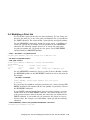
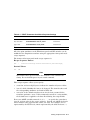
This format shows spaces between the elements of the command for
clarity. Do not include spaces in your actual command.
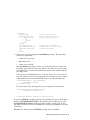
Specify front panel settings by following these steps:
1. Enable front panel mode by specifying the Front Panel Mode escape
sequence with 1 for value.
2. Enter the PCL escape sequence to set the print attribute.
3. Disable front panel mode by specifying the Front Panel Mode escape
sequence with 0 for value.
Front panel mode is also disabled by the PCL reset escape sequence (ESC E).
You can include PCL escape sequences for any of the following print attributes:
•
Symbol set
•
Spacing
•
Pitch
•
Height
•
Style
•
Stroke weight
•
Typeface (Courier and Lineprinter only)
•
Horizontal motion index
•
Vertical motion index
PCL escape sequences allow you to specify both a primary and a secondary
font. Escape sequences for both types of fonts can be included in the front
panel mode escape sequence for selecting a default font.
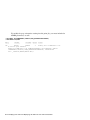
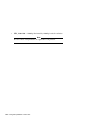
For example, a PCL escape sequence that sets the pitch to 16.66 characters per
inch (cpi) and ISO 17 Spanish symbol set is formatted as follows:
8–6 Printing PCL Files