1
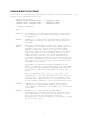
Upload/Download Data\Transfer Basic Program (PC Only)
Upload/Download Data\Transfer Basic Program (PC Only)
--
B - Transfer Basic Program
Transfer Basic Program is used to send (upload) or receive (download) the basic
program to the 8200.
To use this function you must be
running software on the test set that
supports XMODEM or YMODEM such
as TS8210 or PROCOMM
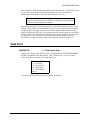
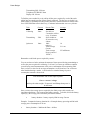
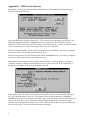
When this function is selected, the 8200 will prompt:
Ready for X/Ymodem Upload/Download (press ESC to abort)
If you are running TS8210, the transfer program menu will also be displayed. This menu
allows you to select between Receive and Send. You will also be able to specify a file
name if you are sending to the 8210. If you are receiving the basic program and using
YMODEM, the program will automatically name the setup file as unitid.BAS. If this file
already exists on disk you will be prompted to replace the file or enter a unique file
name..
If you are running a different communications program, you will need to instruct your
program to upload or download the basic program.. For example, when running
PROCOMM, this is done by pressing PGUP to perform an upload (send basic program to
the 8200) or PGDN to perform a download (receive basic program from the 8200). Other
software will have a similar function. If you are downloading the basic program, select
the YMODEM protocol so the software will be able to automatically name the file for
you. If sending a file, you may use either XMODEM or YMODEM.
Make sure you have set the BasicSize option in the EEROM Setup menu (see page 4-16)
to a large enough size to accommodate your program, otherwise the 8200 will not be able
to receive the whole program. The 1K byte default is only large enough for very small
programs. For example: If MSDOS shows the file size of your program to be 5269 then
the BasicSize must be set to at least 6 (k bytes).
Upload/Download Data\Transfer Raw Ram Card Image (PC Only)
--
I - Transfer Raw Ram Card Image
Transfer Raw Ram Card Image is used to send (upload) or receive (download) the entire
contents of the RAM Card. This option could potentially be used to recover data from an
accidentally formatted or damaged RAM Card, or to transfer a software upgrade to a
RAM Card.
4-12