1
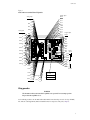
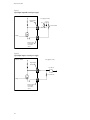
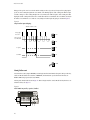
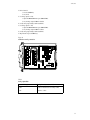
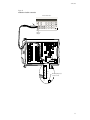
Model 7706 module
Table 1
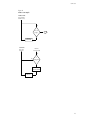
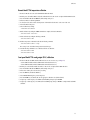
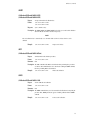
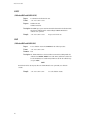
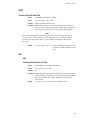
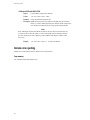
Monitor scan example (front panel and remote steps)
Step Front panel operation
1
2
3
b
c
5
Restore defaults:
Restore defaults (SHIFT SETUP > RESTORE: FACT).
*RST
For front panel operation, proceed to step 3.
For remote programming, clear buffer and disable buffer auto clear:
TRAC:CLE
Configure advanced scan (SHIFT CONFIG > ADVANCED):
a
4
Remote programming
Channel 101, 102, and 103:
Select DCV function.
Select 10V range.
Set filter count to 20 (SHIFT TYPE > 020 RDGS).
Enable filter (FILTER).
FUNC ‘VOLT’, (@101:103)
VOLT:RANG 10,(@101:103)
VOLT:AVER:COUN 20,(@101:103)
VOLT:AVER:STAT ON,(@101:103)
Channel 104:
Disable (off) Channels 104-120 (SHIFT CH-OFF).
ROUT:SCAN (@101:103,125)
Channel 125:
Enable Totalizer channel (SHIFT-CH OFF).
Set and enable high limit 1:
Set limit to 100000 (SHIFT LIMITS > HI1:+100.0000K).
Set and enable high limit 2:
Set limit to 1000000000 (SHIFT LIMITS > HI2:+1000000K).
Enable (on) limit (SHIFT OFF/ON > LIMITS: ON).
d
Disable immediate scan (IMM SCAN: N), and enable high limit 1
(HLIM1 SCAN:Y).
e
Disable timer (TIMER? OFF).
f
Set reading count to 4.
For front panel operation, proceed to step 5.
For remote programming, set the number of points in the monitor scan.
Select and enable monitor channel (SHIFT MONITOR > 125).
CALC3:LIM1:UPP 1e5,(@125)
CALC3:LIM1:STAT ON,(@125)
ROUT:SCAN:TSO HLIM1
ROUT:MON:POIN 4
ROUT:MON (@125)
ROUT:MON:STAT ON
Specifications
Full Model 7706 specifications are included at the end of this guide.
Connection log
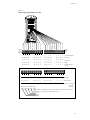
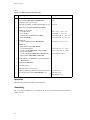
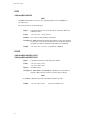
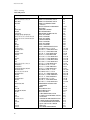
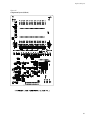
Make a copy of Table 2 and affix it to the cover of the Model 7706. Use this to record connection information and channel descriptions as needed.
24