1
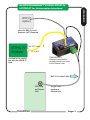
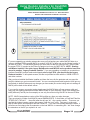
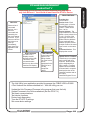
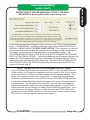
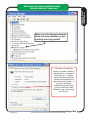
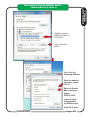
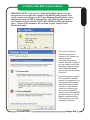
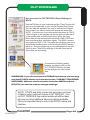
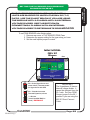
Depending on the devices you have attached your Hub Admin
may look different. You should at least have the DTHCiv Device
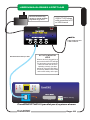
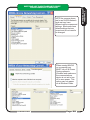
DEVICE DETAILS
Provides the:
Device Name
Device Code: Each
CLASS (type) of device
has a different Device
CODE. Codes can be
from 1 to 99.
Device Address: The
unique address of a device
within a class (values from
1 to 8). Devices of the
same type must have a
different Device Address.
Future cards will have
address jumpers to allow
multiple cards of the same
type to work on the same
hub.
Firmware Version: This
displays the current
DEVICES:
Shows a list of
connected
devices. As a
device is
connected and
sensed by the
hub it will appear
in the list. If you
connect a device
and it does not
show up
immediately,
stop (close) the
application and
restart.
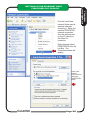
Hub Connected
(to USB on PC)
Displays current
firmware of the HUB.
This MUST show
connected status
before any other of the
functions will display.
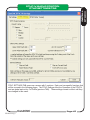
TEST DEVICE
Action button that
opens a new
dialog window.
You must have a
device
highlighted in the
Devices List to
use the
Setup/Test
Device
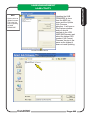
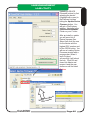
Update Device Firmware.
This allows you to update
each module with new
firmware. New firmware
will be designated by a
REV number. Firmware
updates will be available
for down load in a special
download section of the
CandCNC website and on
the Yahoo
CandCNCSupport Forum.
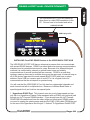
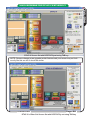
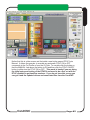
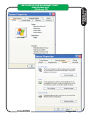
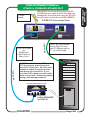
The Hub Utility is an application provided to manage the C3BUS USB to RS485
4 Port Hub and the devices attached to it. With the utility you can:
Update the Hub Firmware (Firmware is the program that runs the hub)
Update Firmware in the Devices attached (like the DTHC IV)
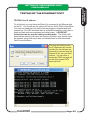
Test basic communications
Test device functions
Device level diagnostics
Tune the DTHCIV Z settings
Set some device settings
CandCNC
Page: 19
C3BUS HUB
C3 HUB MANAGEMENT
HUB UTILITY