1
CORTEX EBC DEVICE OPERATION
As discussed earlier Control Map, Vehicle Configuration, and Output Configuration settings can only be modified using
the Cortex Nexus application. However, the two buttons located on the front of the Cortex EBC are used to control the
basic behavior of the Cortex EBC device.
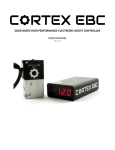
Cortex EBC Device Front Panel
Under most circumstances, the Cortex EBC device display will act as a gauge and can be configured to display the value
of numerous parameters.
The buttons on the front of the Cortex EBC can be used to:
1. Change the gauge display parameter.
2. Change the active Control Map profile.
3. Disable boost control.
4. Enable/disable external outputs.
5. Adjust the LED intensity of the display.
The flow diagrams in the following pages provide instructions for performing each action. In general, the actions are
carried out in the following manner:
1. Press the SELECT (lower) button to enter the main menu.
2. Use the SCROLL (upper) button to navigate to the desired sub-menu.
3. Press the SELECT (lower) button to enter the sub-menu.
4. Use the SCROLL (upper) button to navigate to the desired sub-menu option.
5. Press the SELECT (lower) button to finalize the selection and exit the menu.
Cortex EBC User Manual
SIRHC Labs LLC - 2015
21