1
UNFCCC CRF Reporter
User Manual
Version
Date
3.0
19.10.2006
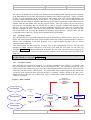
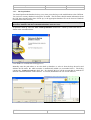
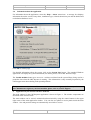
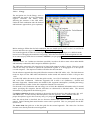
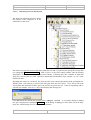
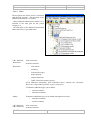
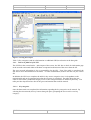
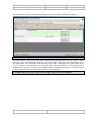
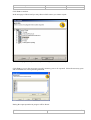
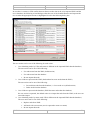
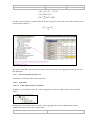
Each navigation tree node has a progress indicator icon (circle) to identify the completeness status of each
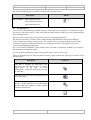
sector/category. There are three types of progress indicators:
Red coloured circle icon – incomplete. 0% of data in corresponding category and its
•
sub-categories have been entered.
Green coloured circle icon – complete. 100% of data in corresponding category and its
•
sub-categories have been entered.
Yellow coloured circle icon – partially complete. Data in corresponding category and
•
its sub categories have been partially entered.
The colour of the circle icon is refreshed by moving to a different node or by saving the data entered.
Colour indicators are used to show completeness of mandatory information only. The colour
indicators do not take into account the completeness of Additional information
To display category data in the input forms panel, double click the category you want to be displayed.
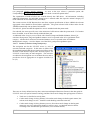
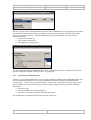
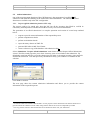
New categories can be added to the navigation tree by selecting the ‘Other (please specify)’ navigation
tree node, highlighting it, and selecting ‘Inventory – Add category’ menu item or the corresponding
context pop-up menu command (see paragraph General information)
4.3.
Input forms (Data grids)
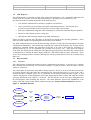
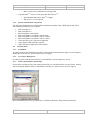
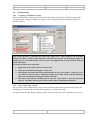
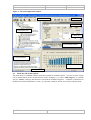
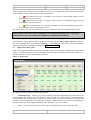
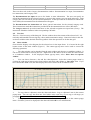
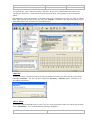
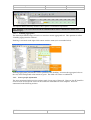
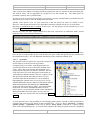
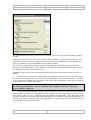
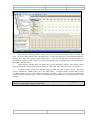
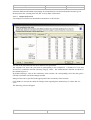
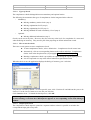
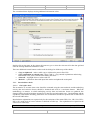
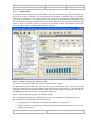
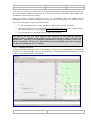
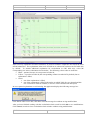
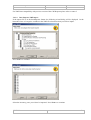
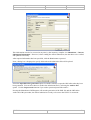
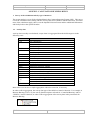
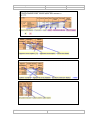
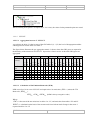
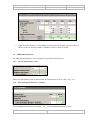
Input forms (Figure 4) display the data for a selected category (for trend tables, methods and recalculation
reports). The data input grid, located in the upper right part of the main application window (Figure 3), is
dynamic and allows users to enter/modify/view data.
Figure 4. Input form
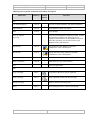
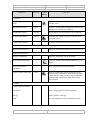
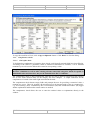
The input form panel contains the following columns:
•
Information type - contains a tree whose structure describes information types and cells for the
selected node in the category tree. The “Method” and “EF used” rows under each gas contain predefined
lists of methods and emission factors used. It is possible to select several values from a list, and they will
be shown in the corresponding cell separated by commas. Method and EF used values are propagated in
the input form panel for all empty subsequent years and when a new year is added.
•
Unit – contains a drop-down list to select units or the default values specified in the CRF
UNFCCC
24