1
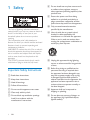
1 Safety
6
Important Safety Instructions
6
2 Your docking speaker for
AndroidTM
8
Introduction
What's in the box
Overview of main unit
3 Get started
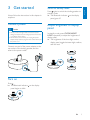
Connect power
Turn on
Switch to standby mode
Adjust brightness of display panel
Adjust brightness of night light
4 Play and charge
Compatible with AndroidTM
Play music through Bluetooth
Play audio through auto Bluetooth
connection with Fidelio app
Install "Fidelio app" onto Android
powered device
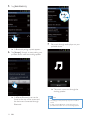
Play music with Fidelio app
Auto time synchronization
Install "Songbird app" to enjoy music
Install songbird app on portable
device
Install Songbird on your computer
Sync music from PC to Android
powered device
Dock and charge Android-powered
device
Dock your portable device
Use dock extension
Charge your portable device
5 Other features
Set time
Listen to internet radio
Set sleep timer
Set alarm timer
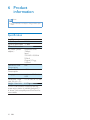
6 Product information
28
7 Notice
8
8
8
29
Disposal of your old product and
batteries
29
8 Troubleshooting
31
9
9
9
9
9
10
11
11
11
13
13
17
19
19
19
21
21
22
22
23
23
24
24
24
25
26
EN
3
Engl i s h
Contents