1
Operation
� Menu Operation
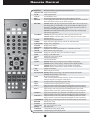
Press “OSD” or ”MENU” on the remote controller to display the main menu.
Press ”MENU” on the remote controller to display the main menu.
Press “OK” to enter a submenu or press “BACK” to back to previous menu.
Press “UP” and “DOWN” to move the cursor. “RIGHT” and “LEFT” to change the parameter.
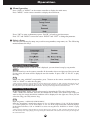
� Select a Song
You can select a song by many ways such as song number, song name, etc. The following
menu indicates the ways.
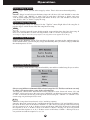
Select a Song by Song Number
When the machine power on and no menu is displayed, you can selected a song by song number.
STEP
Press the num keys on the remote controller ‡ the number shows on right top of the screen and
if song exists, the name will be displayed near the number ‡ press “OK” or “PLAY” to play
the song.
E.G.
Select one song with 0007 song number, press 7 button on the remote controller, then press
“OK” or “PLAY” to make the song play.
*After you have selected a song and there is no song playing, press “PLAY” or “OK” will play that song at once. If
there has already been songs playing, press “PLAY” to put the song into the top of the selected list. If you press “OK”,
the song will be put to the bottom of the selected list. You can put 99 songs into the selected list in all.
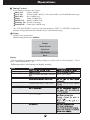
Select a Song by Song Name
In the “SongName” menu, you can select songs by inputting the T26 code of their names.
“ABC” means first character. Press the first characters of words of the name of the songs you
want to sing, the songs match that condition will be displayed in the right area. Then you can
select the song you really want to sing.
E.G.
Input song name: “A WHOLE NEW WORLD”.
Enter the “SongName” menu‡ Press button “2” for “A”‡ Press button “9” for “W”‡ Press button
“6” 2 times quickly for “N”‡ Press button “9” for “W”‡ the songs match that condition displays
in the right area‡ Press “UP” or “DOWN” to select one song‡ Press “ENTER” or “PLAY” to play
the song.
*After you have selected a song and there is no song playing, press “PLAY” or “OK” will play that song at once. If
there has already been songs playing, the song will be put to the bottom of the selected list. You can put 99 songs into
the selected list in all.
2