1
Doccol PID Temperature Controller*
Model WS1500B
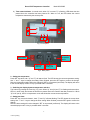
The duration of auto-tuning depends on how fast the system is responding to the heating and cooling cycle.
If the temperature of the heater takes a long time to drop when heater is off, the auto-tuning could be a
very long tuning process. This is especially true with a well-insulated heater. The auto-tuning should be
able to tune most of your chosen with fairly good result.
6.2 Manual Setting the PID parameter.
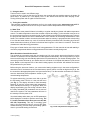
If you have tried auto-tune and the parameters we provided but feel the performance is not ideal, the following sections discuss the definition of these parameters and how to change them.
•
•
•
•
•
•
•
•
•
•
•
•
LCK. Parameter lock. This function is used to prevent user to change the critical parameters by
accident. User has to enter the code 166 to access the parameter setting menu (Fig 3).
P. Proportional band. It is in 0.1 degree unit. This parameter control the output of the controller
based on the difference between the measured and set temperature. Larger the P number means
the weaker the action (lower gain). When the sensor temperature is 10 degrees below the proportional band (10 degrees below the setting), the controller will have 100% output. When the temperature is 5 degree below the set point, the output is 50%. When the temperature is equal to the
setting, the controller will have 0% output (assuming integral and derivative functions are turned
off). This constant also affects both integral and derivative action. Smaller P values will make the
both integral and derivative action stronger. Please note the value of the P is temperature unit
sensitive. If you found an optimized P value when operating the controller in Celsius, you need to
multiply the P by 1.8 when changing the temperature unit to Fahrenheit.
I. Integral time. The unit is in second. This parameter controls the output of controller based on the
difference between the measured and set temperature integrated with time. Integral action is used
to eliminate temperature offset. Larger number means slower action. When temperature fluctuates
regularly (system oscillating), increase the integral time. Decrease it if the controller is taking too
long to eliminate the temperature offset. When I=0, the system becomes a PD controller.
d. Derivative time. The unit is in second. Derivative action contributes the output power based on
the rate of temperature change. Derivative action can be used to minimize the temperature overshoot by responding its rate of change. The larger the number is, the faster the action will be. The
derivative action change the controller output based on the rate of change rather than the net
amount of change. This will allow the controller to act sooner. It will turn the heater to full power
before the temperature drops too much
T, cycle rate. The unit is in second. This unit determines how long for the controller to calculate
each action. This parameter should remain at 2 second for almost all applications.
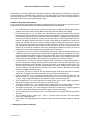
Press and hold SET key for 4 seconds until LED display “LCK”, then release the SET key. The
display will show “0”. To get into parameters setting mode, you need to key in the pass code. Use
“+” and “-“keys to adjust the display to 166 (which is the pass code) and press SET.
The LED will show “P” for a second and then its P setting value, Use “+” and “-“ keys to change the
setting. When finished, press the SET again to confirm the change.
The display will show the “I “ for a second and its I setting value next, use the same “P” setting
procedure to set the I value. When finished, press the SET again to confirm the change.
The display will show the “d” for a second and its value next. Use the same “P” setting procedure
to set the d value. When finished, press the SET again to confirm the change.
The next setting is AΓ, the auto-tune. Use “+” to set the value to 1 and press SET will activate the
auto-tune.
The next setting is the “t” setting, use “-” and “+” to set the cycle time value. This value should
remain 2 for most application.
After change the PID parameter, the controller needs to be turned off and on again for the best
result.
7. Setting other system parameters
4
* Patent pending