1
Transporting Your System
Almost as important as proper setup is the teardown and stowing of your satellite
equipment for travel. Proper care of your equipment will help it to provide years of
trouble-free service for you.
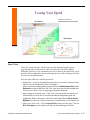
It is recommended that the following steps be taken, when transporting the system:
Step 1
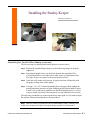
Remove all outside cables, except the two shorter "pig-tail" cables attached
to the Rx-Tx feed arm. Leave these connected.
Step 2
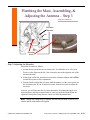
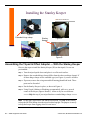
Remove the Rx-Tx feed arm from the reflector/mount assembly.
Step 3
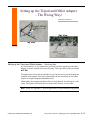
Remove the reflector and mount assembly from the tripod adapter.
Step 4
Remove the offset adapter from the tripod. (optional)
Step 5
Collapse the tripod legs.
Step 6
Store all the components in an appropriate fashion.
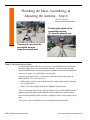
Note When removing the dish from the mast, be sure to step on one foot of the
tripod, while you lift up on the dish - even with ballast. Otherwise, you can pull both
the dish and the tripod up.
There are different approaches for storing the equipment. For those with a large
basement area, most or all of the equipment, can be stored there. Some mobile users
store the dish and Rx-Tx feed arm separately. These two items can be stored on the
bed, during travel, for example. There are also rooftop storage units large enough to
hold most or all of the equipment.
Important! Be sure to store the lightweight metal Raven and Prodelin dishes
carefully. Do not put heavy objects on top of the dish nor store it in way in which it
can become warped. A warped dish will not work properly.
2-36 SMSN HughesNet User Guide
© 2004-2010, MobileInternetSatellite.com