1
Dynamic Active Probe
User’s Manual
8.
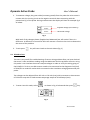
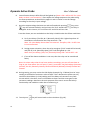
You will notice that pin 87A LED1 will be lighted up. (Note: LED 1 will be OFF for 4 pins
Relay as there is no connection.) Then adjust the voltage output on the probe using
the same procedures as described in pages 11 and 12 earlier to set the voltage
according to the relay’s input voltage.
9.
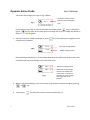
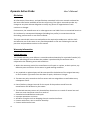
Once the output voltage has been set and confirmed with pressing
key, press
key will activate the Relay and you hear the ‘click’ sound indicating the relay is
energised. At this instant, LED 1 will turn OFF and LED2 will turn ON.
From the above, we can conclude that the Relay is GOOD under the follow conditions:
A. For 5 pins Relays: [Pin 87A, N.C. (Normally Close)] LED 1 lighted up when all
the leads are connected to the relay terminals – OK.
Note: All 4 pins Relays do not have this terminal. Therefore, LED 1 is OFF since
it is not connected.
B. During power activation, when the relay energises (‘click’ sound will be heard)
and [Pin 87, N.O. (Normally Open)] LED 2 will be lighted up - OK.
Note: On 5 pins Relays, [87A, N.C. (Normally Close)] LED 1 will be OFF – OK.
C. If one of the above conditions is not met, then the relay can be considered
faulty.
Note: For those relays that do not have numbers markings, you can still test them as
long as you know where the coil input (+) and (-) terminals, the feed voltage (common)
terminal, the N.C (Normally Contact) terminal and N.O (Normally Closed) terminal are
located.
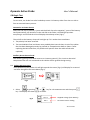
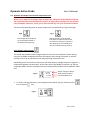
10. During testing, you may notice the LCD display (example Fig. 27 below) that its’ amp
reading is 0.0A and the resistance value is blank. This is because the probe can only
read more that 100mA (> 0.1A) reading and if the Relay coil consumes very little
current which is less 0.1A, then it will unable to show it and the same goes to the
resistance readings. Moreover the main purpose of the test is to test the Relay’s
functionality and condition rather that to measuring it.
Fig.27
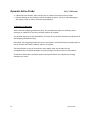
11. To exit press
14
key will return back to the main Menu (Fig. 18).
Version 1502