1
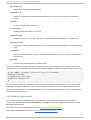
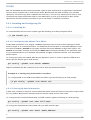
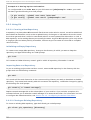
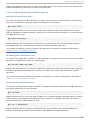
Red Hat Ent erprise Linux 6 Developer G uide Creates the Makefi l e for a project on a specific system au t o scan Generates a preliminary input file (that is, co nfi g ure. scan), which can be edited to create a final co nfi g ure. ac to be used by auto co nf All tools in the Autotools suite are part of the D evel o pment T o o l s group package. You can install this package group to install the entire Autotools suite, or use yum to install any tools in the suite as you wish. 4 .3.1. Aut ot ools Plug-in for Eclipse The Autotools suite is also integrated into the Eclipse ID E via the Autotools plug-in. This plug-in provides an Eclipse graphical user interface for Autotools, which is suitable for most C/C++ projects. As of Red Hat Enterprise Linux 6, this plug-in only supports two templates for new C/C++ projects: An empty project A " hello world" application The empty project template is used when importing projects into the C/C++ D evelopment Toolkit that already support Autotools. Future updates to the Autotools plug-in will include additional graphical user interfaces (wizards, for example) for creating shared libraries and other complex scenarios. The Red Hat Enterprise Linux 6 version of the Autotools plug-in also does not integrate g i t or mercuri al into Eclipse. As such, Autotools projects that use g i t repositories will be required to be checked out outside the Eclipse workspace. Afterwards, you can specify the source location for such projects in Eclipse. Any repository manipulation (commits, or updates for example) are done via the command line. 4 .3.2. Configurat ion Script The most crucial function of Autotools is the creation of the co nfi g ure script. This script tests systems for tools, input files, and other features it can use in order to build the project [2] . The co nfi g ure script generates a Makefi l e which allows the make tool to build the project based on the system configuration. To create the co nfi g ure script, first create an input file. Then feed it to an Autotools utility in order to create the co nfi g ure script. This input file is typically co nfi g ure. ac or Makefi l e. am; the former is usually processed by auto co nf, while the later is fed to auto make. If a Makefi l e. am input file is available, the auto make utility creates a Makefi l e template (that is, Makefi l e. i n), which may see information collected at configuration time. For example, the Makefi l e may have to link to a particular library if and only if that library is already installed. When the co nfi g ure script runs, auto make will use the Makefi l e. i n templates to create a Makefi l e. If a co nfi g ure. ac file is available instead, then auto co nf will automatically create the co nfi g ure script based on the macros invoked by co nfi g ure. ac. To create a preliminary co nfi g ure. ac, use the auto scan utility and edit the file accordingly. 4 .3.3. Aut ot ools Document at ion 74



















































![j:j_"Xt$l"j:]:":,lg]:"r/Human Resources have been duty - e](http://vs1.manualzilla.com/store/data/005657435_1-26d97049bf04f0fd92265d73e45a9ab3-150x150.png)