1
12
2. Pi8500Pro Scan Functions
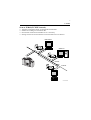
Using the computer
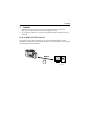
1. From the computer, access the mail server, and then download the scanned data
from the mail server.
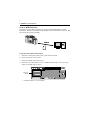
Registering settings for a one-touch button
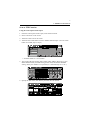
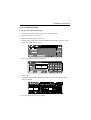
1. If the scanning is performed from the control panel of the copier, select “Address
manual input”.
2. In the “Entry Name” box, type in the name that will appears on the one-touch
button.
3. Type in the Address setting.
• If you want to register multiple e-mail addresses, type “,” between the
addresses.
4. Touch “ENTRY” to register the one-touch button.
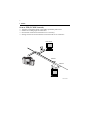
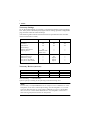
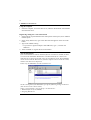
Note (E-mail Notify):
If the scanned data exceeds the maximum file size with Scan to E-Mail, the data
is saved on the Pi8500Pro. Without the scan data attached, an e-mail is sent
informing the recipient of the URL where the scan data is saved. The Pi8500Pro
can be accessed via the Web browser from the computer that received the e-mail,
and the scan data can be imported.
In this way, the Pi8500Pro is used as a Web server.
C4027P413CA
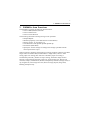
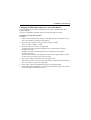
On the control panel of the Pi8500Pro, specify the following settings in advance.
(The menu levels are shown below.)
Setup > Network Setup > Service Setup > E-mail Service
• Maximum file size (0-15,000 KB)
• Outgoing Mail Server