1
UTM User Manual
Table of Contents
About this manual ......................................................................................................................... 3
Document Conventions ................................................................................................................. 3
Support Information...................................................................................................................... 3
1. Introduction ......................................................................................................................... 8
1.1 Overview ................................................................................................................................. 8
1.2 Technical Specifications .......................................................................................................... 9
1.3 Equipment Structure ............................................................................................................. 10
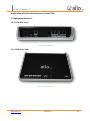
1.3.1 UTM Rear View ............................................................................................................... 10
1.3.2 UTM Front View.............................................................................................................. 10
1.4 Initial Setup & Configuration ................................................................................................. 11
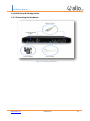
1.4.1 Connecting the Hardware .................................................................................................. 11
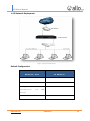
1.4.2 Network Deployment ......................................................................................................... 12
1.4.3 Connect UTM Firewall ........................................................................................................ 13
2. Dashboard .......................................................................................................................... 14
3. Device Settings ................................................................................................................... 15
3.1 Host Config ............................................................................................................................ 15
3.2 Admin User ............................................................................................................................ 15
3.3 SSH ......................................................................................................................................... 16
3.4 Web User Interface ............................................................................................................... 16
3.5 Time ....................................................................................................................................... 17
3.6SNMP ...................................................................................................................................... 18
3.7 Certificates ............................................................................................................................ 19
3.7.1Built-in certificates........................................................................................................... 19
3.7.2 Local Certificates ................................................................................................................ 20
3.8 Logging .................................................................................................................................. 21
3.9 Maintenance ......................................................................................................................... 21
3.9.1 Administration ................................................................................................................ 21
3.9.2 Firmware ......................................................................................................................... 22
4. Network Settings ................................................................................................................ 23
4.1 Interfaces............................................................................................................................... 23
www.allo.com
Version 2.0
4