1
SSE232-LE User’s Manual
Exemys
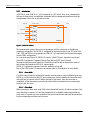
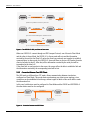
3.2.1.3 DTR Client Mode
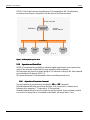
DTR client mode is similar to Client Mode but in this case the SSE232-LE will way the DTR signal
to go on before trying to stablish the connection. The SSE232-LE will finish the connection if the
DTR signal goes off.
3.2.2 SSE232SSE232-LE General Configuration
In this chapter, we will focus on the general aspects of SSE232-LE configuration.
3.2.2.1 How to obtain help from the command console.
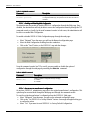
To obtain help regarding a specific command, you can type the command followed by an
interrogation mark “?”. The console will display a help message, the syntax and a descriptive
text.
>port?
PORTx:...
Listen Port (1..65535)
>_
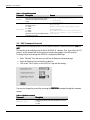
There also exist the HELP, HELPP y HELPS commands. The first two will display a complete
list of all available commands with their syntax and a descriptive text. The HELPS command lists
the commands for the Supervision and Control Port.
3.2.2.2 Configuration Password
Both the TCP configuration console and the web page are protected by a password. The device
administrator may assign access key for these resources, thus supplying safe access to SSE232-LE
configuration.
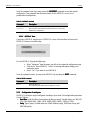
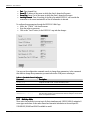
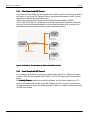
To change the password through the Web page:
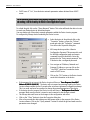
Select “Advanced” from the menu, you will see the advanced configuration page.
Enter the Password in the “New Password” box, and type it again to confirm.
Click on the “Change Password” button, so the SSE232-LE may take the changes.
The administrator may change the password for the command console (both through TCP or,
locally, through the serial port) by using the PASSWORD command.
www.exemys.com
Rev. 4
Page15