1
2.9 Using Arping to Test a User’s Connection
A common method to test a user’s connection is to ping their computer. Many computers have pings blocked by
default, so this method isn’t always helpful. An alternative method is available, called arping, sends an ARP requests
which cannot be blocked on the user’s computer. ARP requests won’t go through a router though, so to use arping
the computer must be on the same Ethernet subnet as the WiDirect. To run the arping command the IP address and
interface must be specified. This command will ping the IP 10.4.1.20 on the interface eth1:
sudo /usr/sbin/arping 10.4.1.20 -I eth1
The arping command will show the MAC address of the device with the specified IP address. When finished press
Control-C to exit.
2.10 Access SQL database
The WiDirect uses a MySQL database to store configuration information. It is not recommended that you make
changes to the database, but it can be helpful to access for certain tasks. To access the database, run this command
from the SSH session:
mysql –uportal –pannamysql portal
To exit the MySQL client application at any time press Control-C. The following sections will describe how to
perform some basic operations on the database.
2.10.1 Reset failed login attempts
The WiDirect administration pages will block an IP address from logging in after three failed login attempts. If you
are getting the error saying you need to wait 15 minutes to login then you can reset the failed attempt counter by
running the following command in the MySQL client utility:
delete from AdminLoginAttempts;
2.10.2 Recover GUI Administrator Password
The MySQL client utility can be used to recover a lost administrator password. Run this command to view a list of
administrator usernames and passwords:
select username,AES_Decrypt(password, "109a134e99.1900.1800-12a") from admin_users;
2.10.3 Delete Expired Users
You can delete a large group of expired users at one time from the MySQL database. These steps will show how to
delete all expired users who have not logged in for six months. Before making changes it is important to backup the
database. Run this command to do a backup of the database from the SSH command line:
mysqldump -uportal -pannamysql portal >backupFileName
Open the database following the instructions from above, and run these five commands:
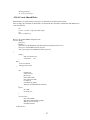
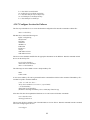
delete from connections where userid in (select userid from users where (status = 3 or status = 4) and
lastlogin< date_sub(now(), interval 6 month));
delete from extra_user_macs where userid in (select userid from users where (status = 3 or status = 4) and
lastlogin < date_sub(now(), interval 6 month));
62