1
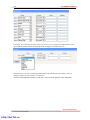
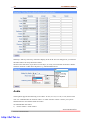
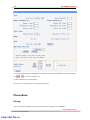
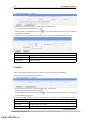
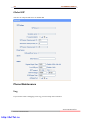
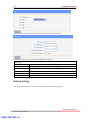
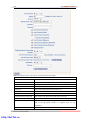
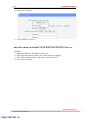
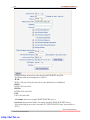
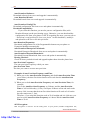
54 102 SERIES IPPhone Extern.xml file on TFTP/HTTP/HTTPS/FTP Server The Extern.xml includes the settings of programmable buttons on the phone and all Expansion Modules. All the phones can download the settings from a same file and they will have the same settings (for example, Speed-dial, BLF and so on). *You can’t rename the file on the provisioning server. The file name is fixed to Account1_Extern.xml.(Account1 is the first account you register) Phonebook on TFTP/HTTP/HTTPS/FTP Server Alcatel-Lucent IP phone supports Enterprise Phonebook and Personal Phonebook. Enterprise Phonebook: Enterprise Phonebook is used for all staffs in your office. All phones will download a common phonebook for all staffs. The file’s name must be Enterprise_Phonebook.xml on your provisioning server and you can not rename it. Personal Phonebook: Personal Phonebook is individual for each IP phone. The file on your provisioning server is named by the first account of your IP phone. If the IP phone’s first account is 1287, the Personal Phonebook of this phone is 1287_Phonebook.xml. Automatic Provisioning using DHCP Option 66 The following steps will descript auto-provision by TFTP. You also can use HTTP and FTP for auto-provision with our phones. DHCP Server: (Microsoft Windows 2003 server) 1. Start up the “DHCP Management Console”; 2. Expand the DHCP scope which will contain the phones 3. Right-click on the “Scope Options” node 4. Select “Configure Options” 5. In the “General” tab, scroll down the list of options and identify the option labeled “066 Boot Server Host Name” 6. Enable the “066 Boot Server Host Name” and enter the string value according to the examples discussed previously string value: 192.168.0.201(TFTP Server IP Address); 7. Click the “OK” button IP Phone: 1. Input the IP Phone’s IP Address in browser; 2. Enter user and password with “root” then open the web page; 3. Click “Phone Maintenance” and select “Auto Provision”; www.escene.cn/en Escene Communication http://ArtTel.ru