1
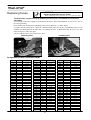
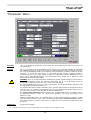
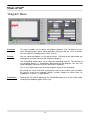
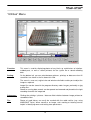
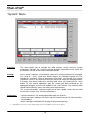
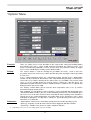
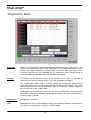
Manual Mode
ATTENTION:
In this mode the hotrunner is not controlled and not switched off in case of
overtemperature. So overtemperature and damaging is possible!
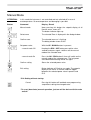
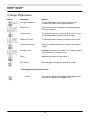
Button
Command
Display / Result
Manual mode
Upon pressing this button the setpoint display of all
inactive zones shows oFF.
The button indicator lights up.
Select zone
The selected Zone is displayed in the dialog window.
Confirm zone
The selected zone no. is flashing.
The dialog window shows PULS.
Set power value,
With the UP / DOWN buttons in percent.
- manual mode Off
Keeping the ESC / OFF button pressed for a few
seconds and press again, switches off the manual
mode of the selected zone.
- manual mode On
Press the OK / PRG button 2 times will switch on the
manual mode of the selected zone. The last power
value before deactivating will be set again.
Confirm setting
Stores the selected power value.
Exit setting
Button indicator off. Back to run mode. The setpoint
display of the zones in manual mode will toggle
between the selected power value in percent and
PLS.
* Exit Setting without storing:
Cancel
Pressing this button will lead back one programming
step without storing the changed value.
* To reset (deactivate) manual operation, just turn off the device with the main
switch!
21