1
Overview of System
Please read this entire manual before attempting to install this system.
This system should only be installed by a professional automatic gate installer or access control
specialist dealer.
It is recommended that the system be set up, configured, commissioned and tested on a
workshop bench before taken to site for installation.
Site Survey
Before installing this system, you need to be sure that there is good mobile GSM cell coverage in
the area it is to be installed. It is recommended that you conduct a site survey, and check
reception on the site for a GSM network. If reception is poor in the area, then this system is not
recommended.
SIM Card
You will need a SIM card in order to use this system. It should be a regular voice and SMS text
SIM card. Do not use a data only SIM, as this is only for tablets and will not work in the unit.
1) Ensure the SIM has calling credit, and can make and
receive calls on a mobile cell phone.
2) Check that the SIM is not locked to a phone and can be
used in other devices.
3) Check that the SIM does not have a PIN code request.
4) Disable voicemail service on the SIM.
4) You are now ready to begin programming.
Power
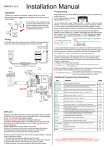
This system comes with a 15v d.c. power supply. It is recommended that it is located within 3
metres (12 feet) of the intercom.
15v Power
adaptor
15v
Power
adaptor
If it is completely necessary to locate the power supply further away than 3 metres, then please
use minimum 1.5mm x 2 core cable. CAT5 or alarm cable is NOT sufficient and can cause
problems like poor reception, long connection times or improper relay operation.
P a g e |3