1
Using NetBeansTM 5.5 IDE
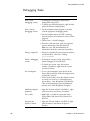
Debugging Tasks
94
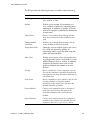
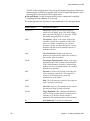
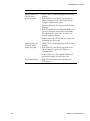
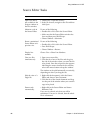
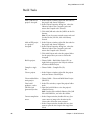
To perform this task
Follow these steps
Start a local
debugging session.
• To debug the main project, choose Run >
Debug Main Project (F5).
• To debug any individual project, right-click the
project and choose Debug Project.
Start a remote
debugging session.
1. On the computer where program is located,
start the program in debugging mode.
2. On the computer where the IDE is running,
open the projects that contain the source for the
program.
3. Choose Run > Attach Debugger.
4. Select the connector type, enter any required
process information, and then click OK.
Note: See your VM documentation for
information about the connectors it provides.
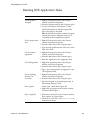
Debug a single file.
• Select any runnable file in the Projects window
and choose Run > Run File > Debug
your_filename.
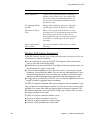
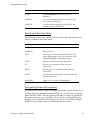
Finish a debugging
session.
• To finish the current session, choose Run >
Finish Debugger Session (Shift-F5).
• To finish any session, open the Sessions
window (Alt-Shift-6), right-click the session,
and choose Finish.
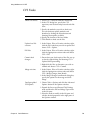
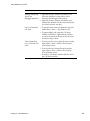
Set a breakpoint.
• To set a line breakpoint, open the file in the
Source Editor and click in the left margin on the
desired line (Ctrl-F8).
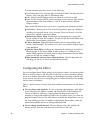
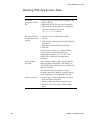
• In the Source Editor, select the element of code
on which you want to set a breakpoint and
choose Run > New Breakpoint (Ctrl-Shift-F8).
Then set the breakpoint type and additional
options in the New Breakpoint dialog box.
Modify breakpoint
properties.
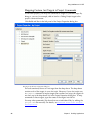
• Open the Sessions window (Alt-Shift-6), rightclick the session, and choose Customize.
Set a watch.
• Right-click a variable or expression in the
Source Editor and choose New Watch (CtrlShift-F7).
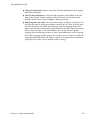
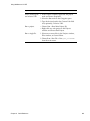
Suspend and
resume a thread.
• Open the Threads window (Alt-Shift-7), rightclick the thread, and choose Suspend or
Resume.
Chapter 8
Quick Reference