1
C--2
Using the KEPDirect OPC Quick Client
Appendix C
EBC(100) / KEPDirect
Appendix A
Creating a KEPDirect Quick Client Project
KEPDirect Quick Client can be used to assist in the test and development of
KEPware’s OPC Data Access 1.0 and 2.0 Servers.
Connecting the
Client to the
OPC Server
A server connection provides a link between the Quick Client and the KEPDirect
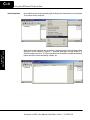
OPC server. To add a server connection to the Quick Client, you can use the Edit
menu>New Server Connection or click on the New Server icon in the toolbar menu.
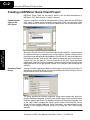
Specify the Prog ID of the OPC Server the client should connect to. You can browse
for registered servers by expanding any of the branches. Double--clicking on any
registered server will automatically update the Prog ID field. For more information on
the registered servers, click on the “Help” button to display the “Server Connection”
section of the on--line help file. Once a connection to the OPC server has been
established, additional “Server Operations” can be accessed by right clicking on the
highlighted server in the right window column or by using the Tools menu>Server
selection.
Creating a Client
Group
A group is used to organize a collection of items with a common set of properties. To
add a Group to the Quick Client, you can use the Edit menu>New Group or click on
the New Group icon in the toolbar menu.
The group specifies the following properties: group name, update rate, time bias,
percent deadband, language ID, active state, and the type of data connection that
should be made to the server. For detailed information on the group properties, click
on the “Help” button to display the “Group” section of the on--line help file. Once a
Group has been created, additional “Group Operations” can be accessed by right
clicking on the highlighted branch Group or by using the Tools menu>Group
selection.
Terminator I/O EBC User Manual, 2nd Edition, Rev B -- T1H--EBC--M