1
Using the KEPDirect OPC Quick Client
Selecting a
Group Item
C--3
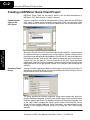
Items represent data that may be accessed via the OPC server. An item specifies the
following properties: item ID, access path, requested data type and active state. For
detailed information these properties, click on the Help button to display the “Item”
section of the on--line help file. To add an Item to the Quick Client Group, you can use
the Edit menu>New Item or click on the New Item icon in the toolbar menu.
4
2
1
3
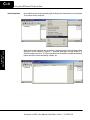
After clicking on the “OK” button, the following window will be display the created
items.
Terminator I/O EBC User Manual, 2nd Edition, Rev B -- T1H--EBC--M
Appendix C
EBC(100) / KEPDirect
If the OPC Server was configured to automatically generate OPC tags, the
generated tags would be browsable from the OPC client. If automatic tag generation
was not selected, create an item by:
1) browsing the OPC Server branch tags
2) highlighting the desired tag in the right column
3) clicking on the “Add Leaves” button
4) clicking on the “Green Check Mark” button to validate the item
5) and clicking on the “OK” button.