1
OPTIVA DVI | 15
Operational Modes
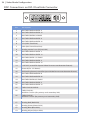
The transmit card can operate with one of four video source types: DVI, RGBHV, RGsB (sync on
green) or Component (YPbPr) Video. By default, the card will attempt to auto-detect the mode
based on the type of cable present at the video input connector as follows:
Operating modes:
1. Cable Auto-detect (Factory Default)
2. DVI-D
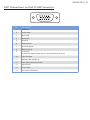
3. RGBHV / VGA (requires VGA to DVI adapter)
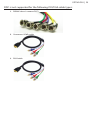
4. YPbPr (requires BNC to DVI or RCA to DVI adapter)
5. RGsB (requires BNC to DVI or RCA to DVI adapter)
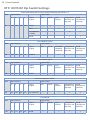
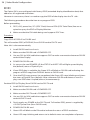
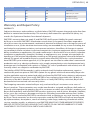
If the system is cabled in a manner that does not support auto-detection (for example, using a
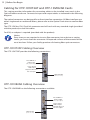
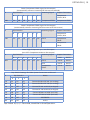
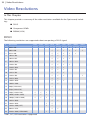
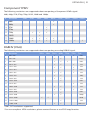
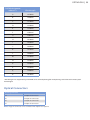
DVI-I cable to pass RGBHV), the video operation mode may be “forced” by setting Dip Switches
1–4 as shown in the tables that follow on page 16.
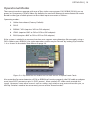
Figure 2.1: Dip Switches are located on the back corner of Optiva Insert Cards
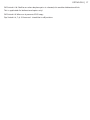
Also note that for auto detection of DVI or RGBHV to function properly, the DVI cable or adapter
must have 5VDC present on pin 14 (DDC power). Most modern PC video cards provide this
signal. However, some other sources such as scalers and switches may not connect this pin, so
the Dip Switches need to be set correctly to one of the “forced modes.”